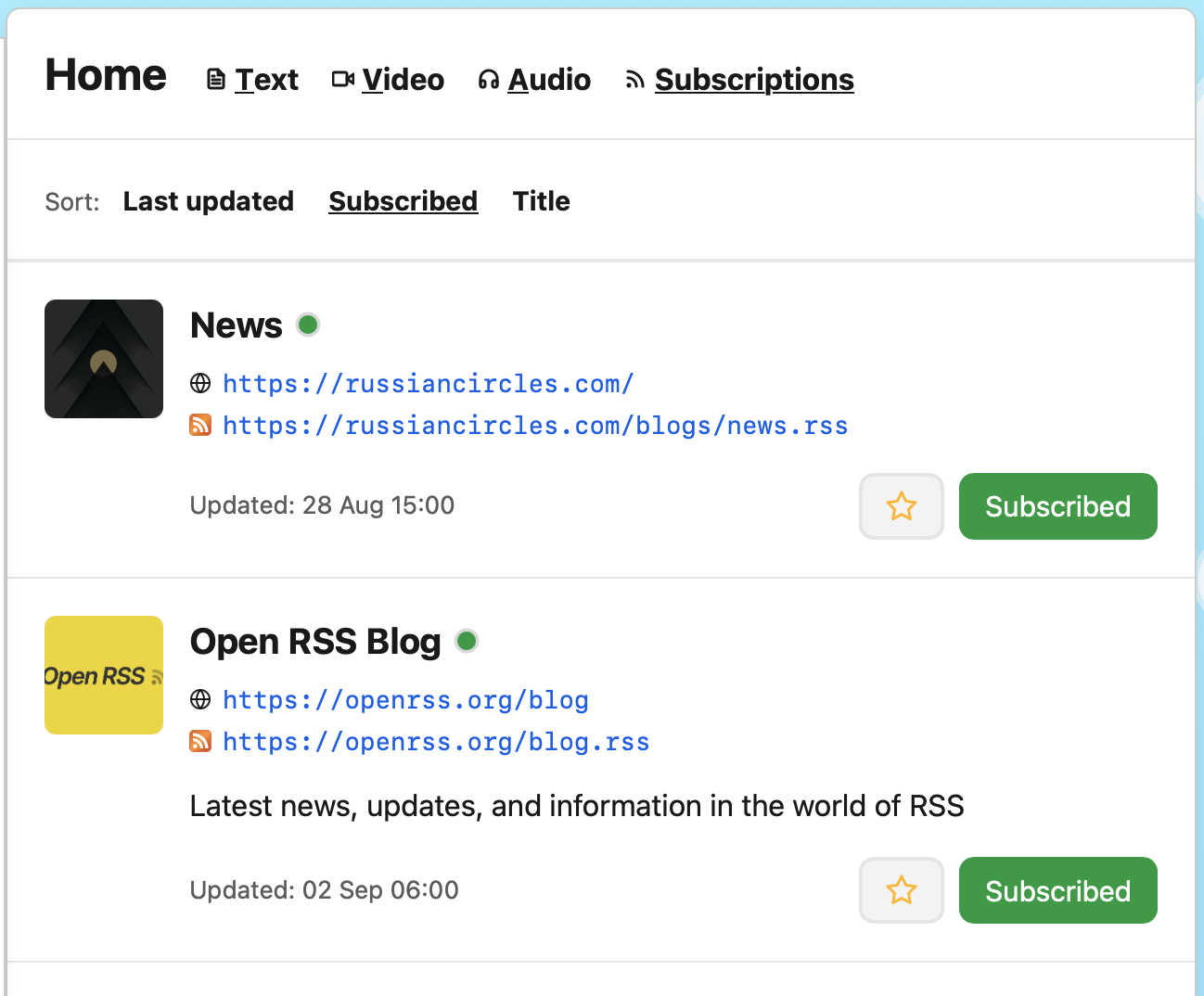
The overview pages of the “Subscriptions” and “Feeds” pages for each timeline got an overhaul: they are a little cleaner, show the date a feed was last updated, and you can now sort them by “Last updated” (the default), “Subscribed” and “Title”.
 Subscribe
 Featured
The overview pages of the “Subscriptions” and “Feeds” pages for each timeline got an overhaul: they are a little cleaner, show the date a feed was last updated, and you can now sort them by “Last updated” (the default), “Subscribed” and “Title”.
As you know, FeedCity gives you (private) RSS and Atom feeds for every timeline. Now, podcast posts include their episode’s image in each post.
That means, if you use one of your “Audio” RSS feeds in your podcast app of choice, you will now see each episode’s image instead of none or just FeedCity’s logo.
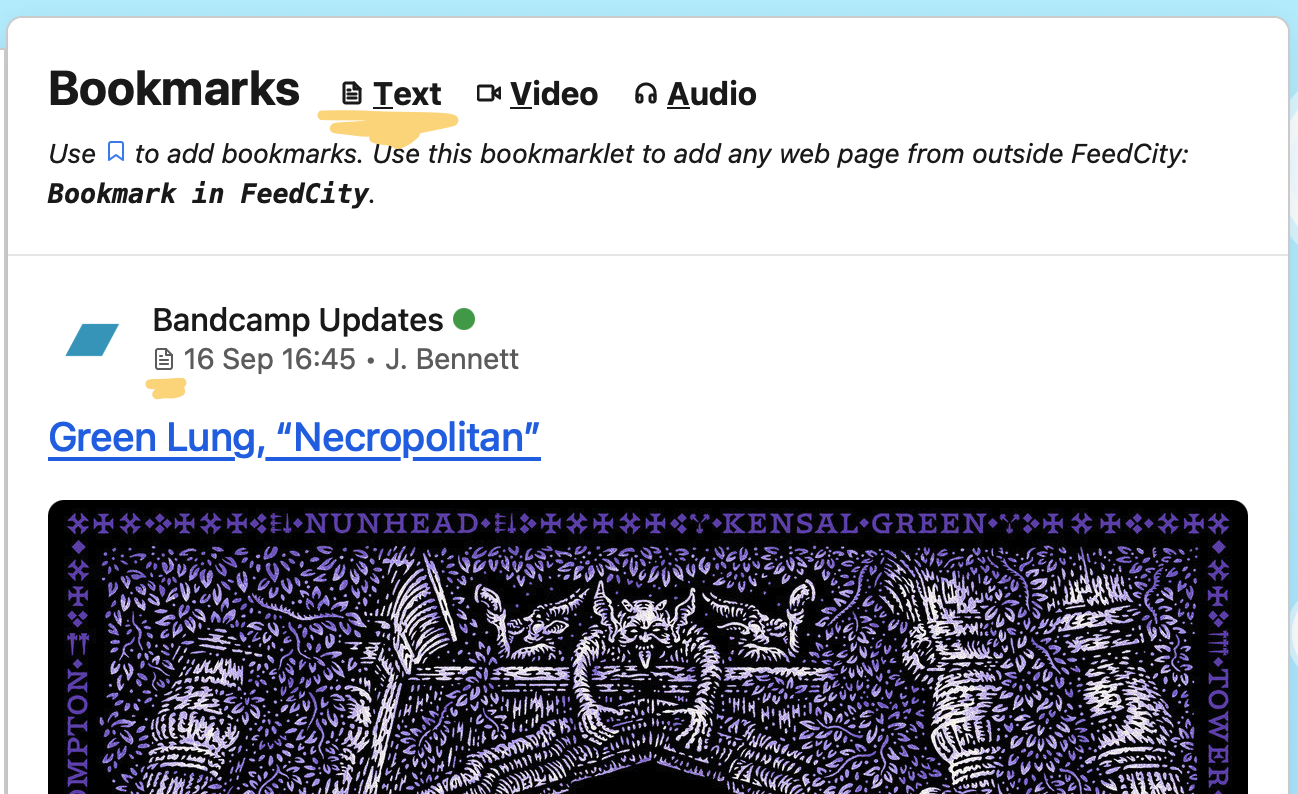
You can now filter every timeline for “Text” content.
This is in addition to the filtering for “Audio” and “Video” posts. It (currently) does not necessarily mean “text only” - it means “something to read or look at, something that has no playable media”.
Of course, all those “Text” timelines got their own RSS and Atom feeds, so you can integrate them wherever you like. Maybe, you’d like to read your bookmarks on your e-reader? Now you can (if your e-reader supports feeds)!
As a bonus, all posts are now marked with the type - “Text”, “Audio” or “Video” - they are categorised as. You’ll see the icon next to the date of each post.
If you listen to podcasts, the episode progress is now synced across your devices. Which means that you can now continue listening on any device and have it pick up where you last paused - no matter the computer you’re using.
The remaining time will now also be shown in the top right corner of each player.
(Previously, progress was only stored separately per device.)
I deployed a few fixes and improvements around caching - especially in regards to the “bookmark”, “like”, and “share” buttons. Those were not always showing the accurate states. Now they should.
In the last couple of weeks, I fixed some problems and improved a few things:
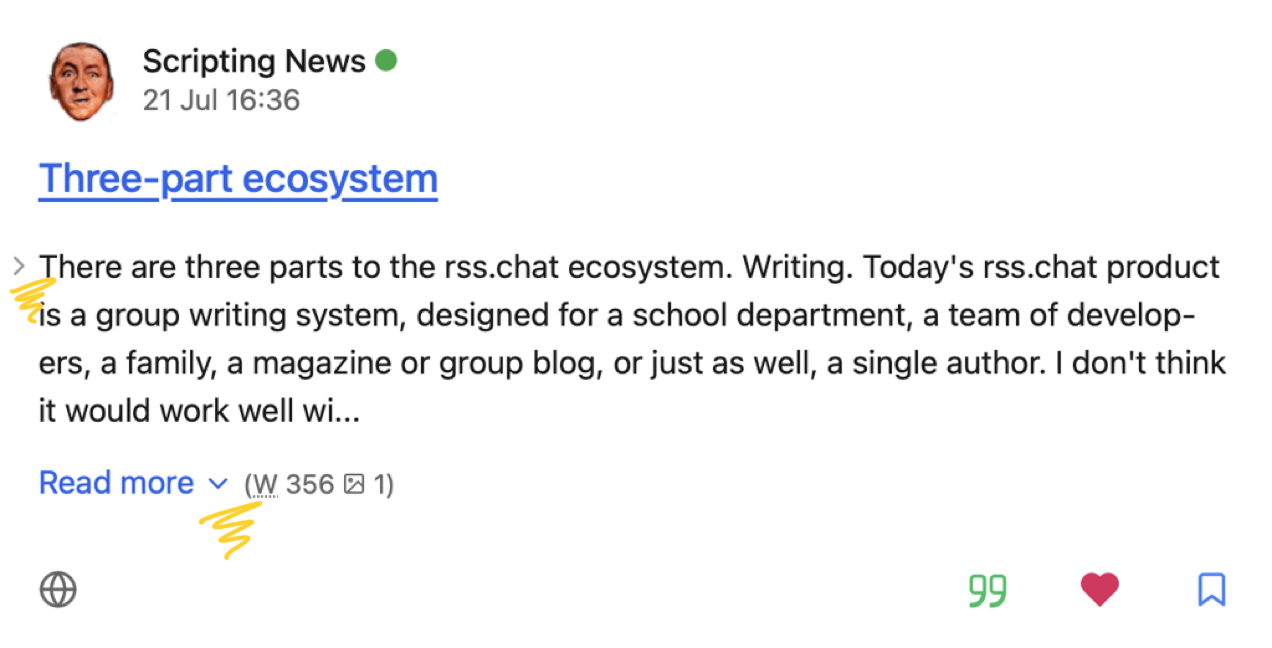
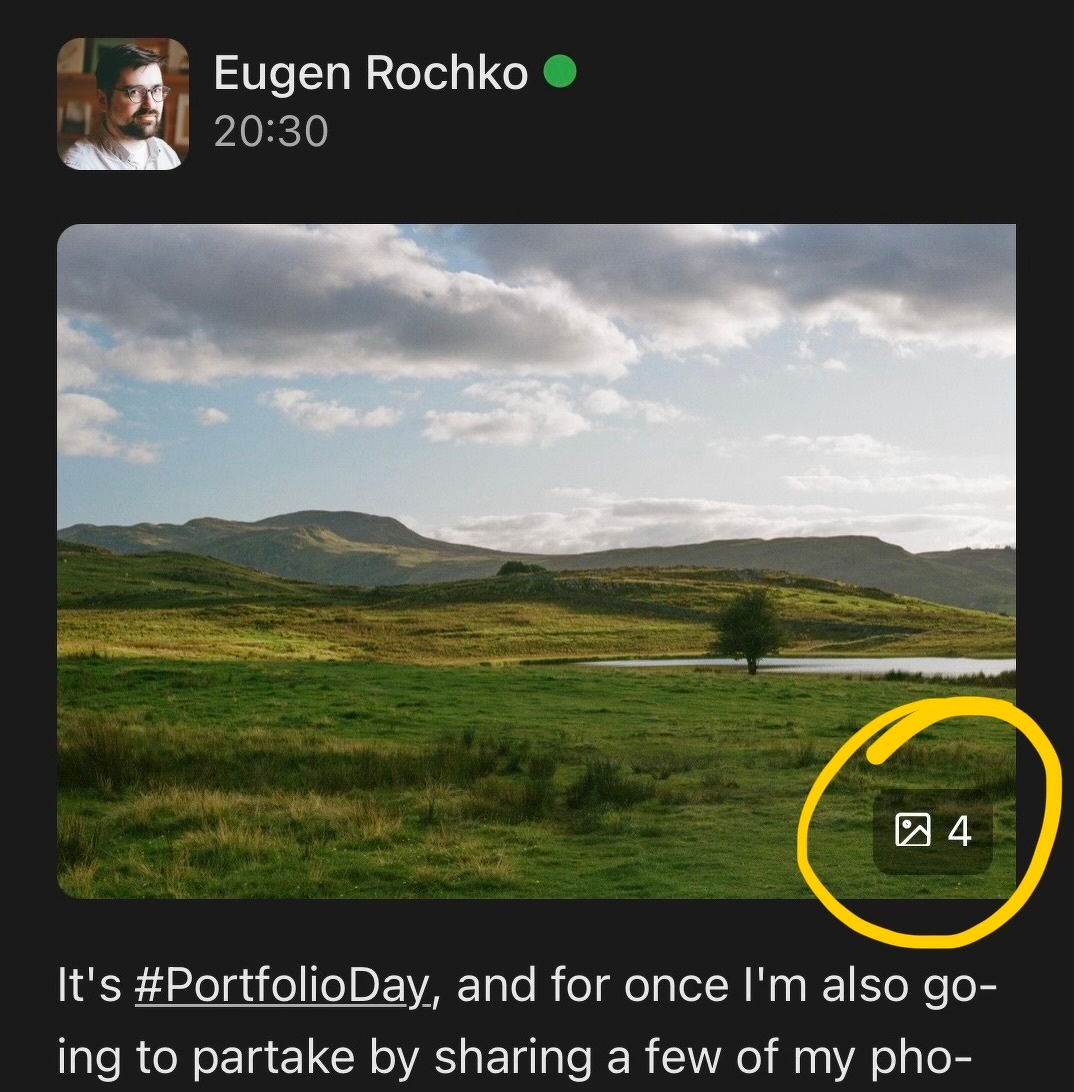
New little feature: a multi-image gallery now features a little image count indicator.
Such a horizontally scrolling gallery is rendered, when an entry includes multiple images as enclosures, or they are added via the Media RSS extension. Example feed: Kenneth Wajda
You can now share posts on FeedCity. Other citizens can follow you right in the app, others anywhere via RSS.
I’ve been mainly working on behind the scenes improvements and streamlining the onboarding for new citizens in the last weeks.
But I’m back to making more day-to-day visible stuff. First up: the navigation on larger screens is back on the side again. I believe it’s a better placement, and I think it works with the current, slightly updated design.
There also have been some adjustments to the background: the clouds now stay fixed, even on iOS and iPadOS. And browser is now getting a starry night sky - where previously, this was only available in Safari (as this is the only browser supporting the new random() CSS function at the moment).
More updates soon.
/Daniel
UI Update: on large(r) screens, the navigation bar is now horizontal across the top. And the clouds are back.
I also fixed a couple of bugs today:
The design of the UI has been updated throughout the site. The changes are more on the subtle side of things, but making everything look and feel more refined and consistent.
You can now “like” any post within FeedCity.
All the public feed profile pages have gotten a new look.
You can now bookmark any web page in FeedCity. Use the bookmarklet or iOS Shortcut to save an article, a podcast, or a video for later reading, listening or watching.
Some feeds weren’t updating in the last hours. This is fixed now and updates have caught up.
Fixed an issue with links in post: if they are relative URLs, they no get converted to absolute ones, so you can actually navigate to them.
A feed file can contain quite a bit of useful information. And I think this is underutilised by a lot of existing feed readers.
There’s been a problem with updating feeds the last few hours. The problem is fixed now, and the updates are currently catching up.
I’ve changed and refined icons for the “Subscriptions” and “Feeds” pages, as well as for “Lists”, “Audio” and “Video”. And the “adding a feed to a list”-UI has seen a tiny improvement, too.
FeedCity is currently not reachable. I’m looking into it!
Update: Never mind. Just after I published this, everything seems to be back to normal. /Daniel
Fixed a bug with “Load more” pagination.
I made some rather subtle changes to how links look.
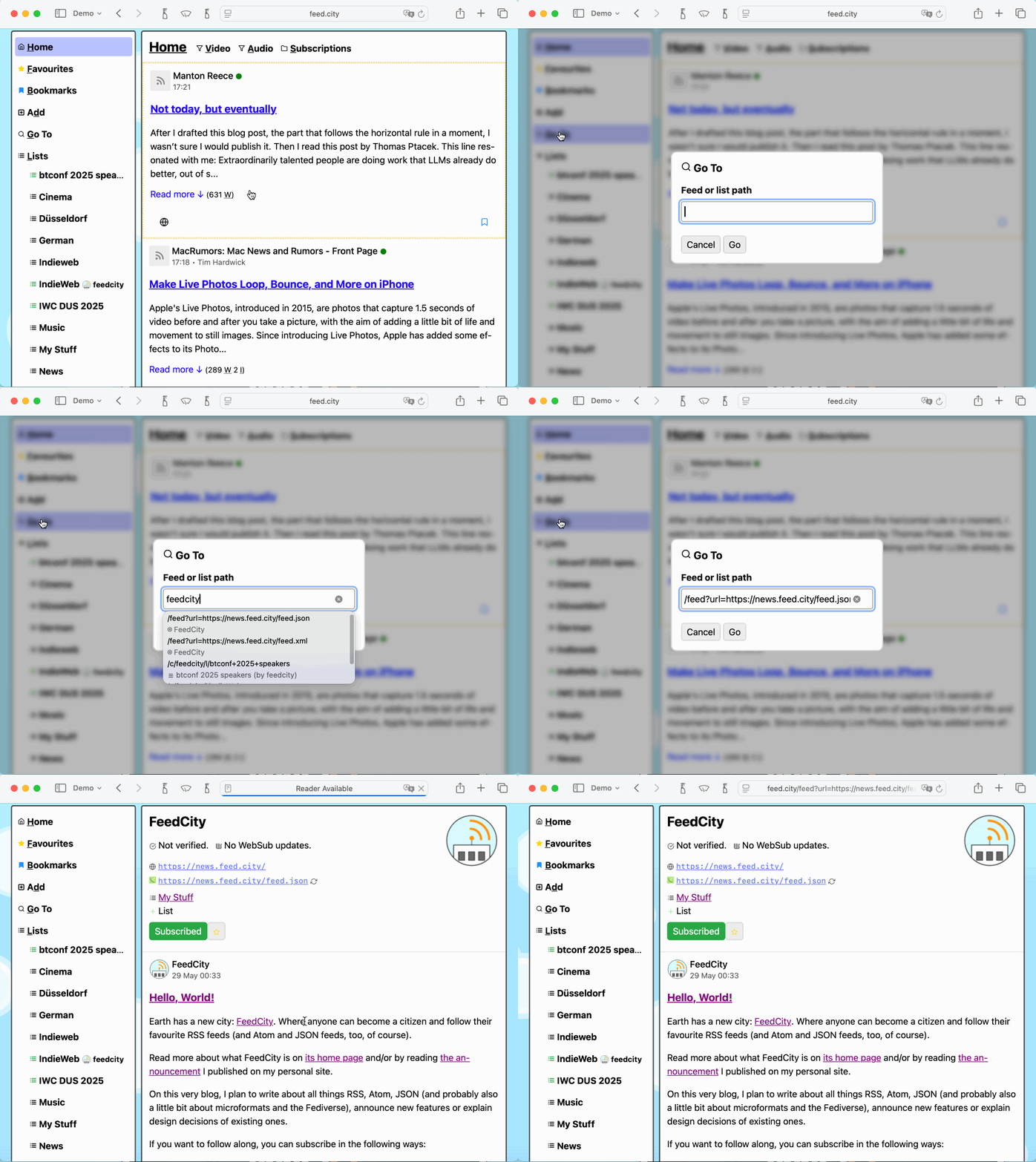
There’s a new “Go To” functionality available, to quickly navigate to any of your feeds or lists.
The option is currently only shown on the navigation menu for larger screens, until the feature’s usability has been improved (in general, too, but in particular for those smaller screens).
Earth has a new city: FeedCity. Where anyone can become a citizen and follow their favourite RSS feeds (and Atom and JSON feeds, too, of course).
Read more about what FeedCity is on its home page and/or by reading the announcement I published on my personal site.
On this very blog, I plan to write about all things RSS, Atom, JSON (and probably also a little bit about microformats and the Fediverse), announce new features or explain design decisions of existing ones.
If you want to follow along, you can subscribe in the following ways:
You can also contact me at mail@feed.city.
/Daniel