
Sign up

Christiano Anderson

Not verified No WebSub updates Supports Webmention Not yet validated

Recent content on Christiano Anderson

Generator
Hugo
Public lists
I ♥ RSS
Fetched

Christiano Anderson Supports Webmention
Text

A colour palette journey

After more than two decades glued to screens (computer and mobile), my eyes have started to complain. Nothing dramatic, just the familiar fatigue after long sessions in front of the computer.

I have always been particular about my colour schemes, I believe that anyone who stares in front of a computer for long hours should be, and for a couple of years, Solarized Dark was my loyal companion.

I’ve decided to try something new, not because I don’t like Solarized, but just to try and adapt my eyes to different themes. I’ve tried Nord Theme for a while, it’s great and nice, but I found Catppuccin Mocha to be the right replacement for Solarized.
Christiano Anderson Supports Webmention
Text

Pixel Area

Thanks to Ava’s post, I discovered Pixel Area. It’s a cool project offering 10.000 “pixels” for the indiweb community. It’s a nice way to find other interesting blogs and websites.

My pixel is located here.

Christiano Anderson Supports Webmention
Text

Garza Coffee

As a specialty coffee enthusiast, I’m always visiting different local roasteries. There’s something special about this ritual: independent roasters offer amazing coffee experiences and an incredible variety of beans you symple won’t find elsewhere.

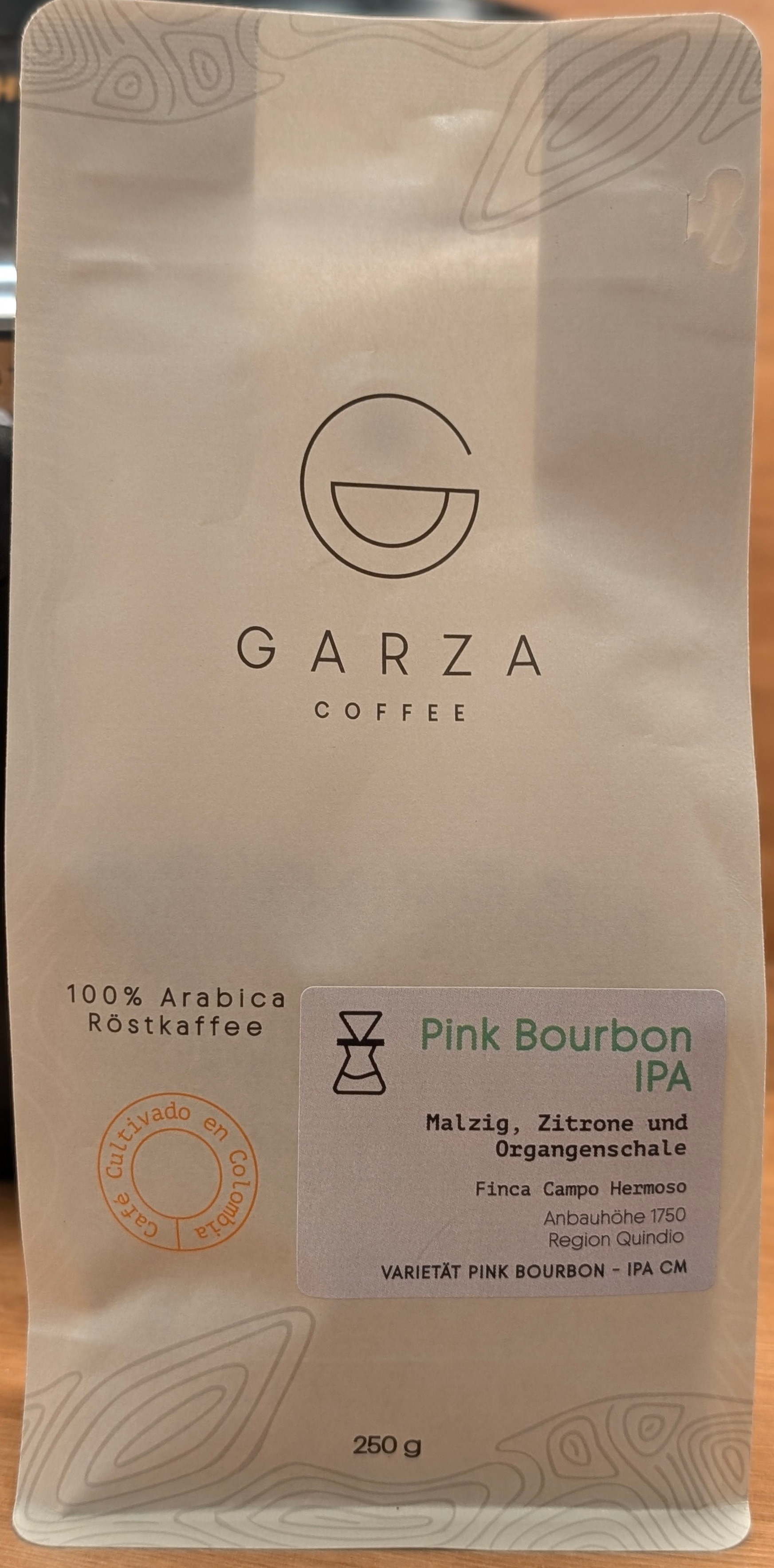
Last week, I experienced one of those great moments, and bought these great beans from Garza Coffee: Pink Bourbon IPA.

Pink Bourbon IPA from Garza Coffee

This coffee is co-fermented with IPA hops and IPA yeast, in a very special method: the hops and yeast are added to the beans in a closed tank under CO₂. This allows the coffee cherry to absorb the aromas of the IPA, and taste like a mix between good coffee and good IPA beer, it’s really amazing! You can note the aromatic acidity, smell and clear hop flavour in each sip of coffee.

Christiano Anderson Supports Webmention
Text

Streaming Online Radio with Shortwave on GNOME

As an expat living in Germany, online radio has become a good daily companion. I enjoy listening to news from my home country (and connect to my mother tongue), practice German language or just discovering music and stories from a random place around the globe.

I found a GNOME app that is a genuine gem: Shortwave, which can be installed via Flathub.

Shortwave is an online radio app for GNOME that has a great and clean design, cool features and a built-in search that makes finding radio stations around the world effortless. Just search, tune and listen, super easy.

Christiano Anderson Supports Webmention
Text

Chafa

After reading What software do you use daily in 2026? on Lobster, I learned about Chafa.

Described as: The premier UX of the 21st century just got a little better: With chafa, you can now view very, very reasonable approximations of pictures and animations in the comfort of your favorite terminal emulator. The power of ANSI X3.64 compels you!

As a heavy shell user, I decided to install and had a lot of fun opening my images in the terminal :-)

Christiano Anderson Supports Webmention
Text

Migrating from Standard Notes to Obsidian

After years of loyal user of Standard Notes, I have decided to migrate to Obsidian. Just to be fair, this decision is not born out of dissatisfaction with Standard Notes as product. It remains solid, reliable and privacy respecting tool that has served me exceptionally well.

A brief overview

Standard Notes is a privacy-focused, end-to-end encrypted note-taking application that has been my trusted companion for many years. It offers a clean, distraction-free environment for capturing thoughts, ideas, and important information. With its strong emphasis on security and simplicity, it provides a safe vault for personal notes across multiple devices.

Christiano Anderson Supports Webmention
Text

Bubbles

I recently came across Bubbles, a really nice IndieWeb aggregator. It’s great to see the IndieWeb ecosystem getting better and better, and I love the idea of having something like Lobsters or Hacker News for the IndieWeb community.

Christiano Anderson Supports Webmention
Text

Newsflash and Miniflux

After writing about my self-hosted RSS workflow, I’ve found the perfect desktop companion for Miniflux.

It’s Newsflash — a polished, native GNOME newsreader that connects directly to your Miniflux instance via API. It’s been my daily driver ever since.

What’s next: evaluation Android apps to connect to Miniflux, I’ll post the research in a future post :-)

Christiano Anderson Supports Webmention
Text

My Experience with Self-Hosted RSS solution

As a privacy advocate and someone who believes in data sovereignty, I’ve been on a constant challenge to maintain control over my digital life. I I love reading news and staying well-informed, making me an avid news consumer. I actively support quality content producers by subscribing or donating money regularly, ensuring that I contribute to the sustainability of my favourite sources. After setting up Miniflux on my own server, I’ve completely transformed how I stay informed.

Christiano Anderson Supports Webmention
Text

The IndieWeb and Small web

As someone who values privacy and the open web, I’ve been fascinated by the growing movement away from centralised platforms toward more personal, user-controlled online experiences. What surprised me recently was discovering just how many people are embracing these concepts without even knowing their names.

IndieWeb

The IndieWeb is a community of people who own their websites and content rather than posting to third-party platforms (like Medium, Substack, etc). It’s built on principles like:

Christiano Anderson Supports Webmention
Text

Gradia: The Ultimate Screenshot Tool for GNOME

I’ve been hunting for a screenshot tool that’s actually good for GNOME, and I’m pretty sure I found my new go-to: Gradia. I’ve been using it for a while now, and it’s fantastic.

You can add notes, highlight sections, add arrows, very helpful when you’re working on documentation or teaching a tech class.

Christiano Anderson Supports Webmention
Text

Postgres null character in psql

In psql, null values are displayed as blank strings by default, which can be confusing to read.

However, you can customize this behavior by setting a specific character to represent null values, making your output more readable and easier to interpret:

\pset null '-x-'

All null values will become -x-, which is much more convenient.

anderson=# select * from test1;
 name | surname 
------+---------
 A    | -x-
(1 row)

Bonus

It’s possible to choose an emoji as a replacement:

Christiano Anderson Supports Webmention
Text

LSD - ls replacement

I have a new ls replacement!

I was using eza (see Eza on Fedora 42 ) for a while, but I’ve found something even better: lsd. This tool is a nice because it displays icons for file types, making it so much easier to navigate files directories.

The default settings are great, but the date format mm/dd/yyyy is a bit odd. Changing this is the only modification needed to make the tool perfect.

Christiano Anderson Supports Webmention
Text

Eza on Fedora 42

In my previous post, I wrote about using Eza on Fedora 41, which works well and it can be installed via dnf.

This week, I upgraded my main computer to Fedora 42 and noticed that the Eza package is no longer available and couldn’t be installed using dnf.

I looked into the rust-eza and discovered that the maintainer has orphaned it due to time constrains.

To keep using Eza, I downloaded the latest release from the project’s Github page, and installed the binary directly to the /usr/local/bin

Christiano Anderson Supports Webmention
Text

Replacing ls with eza

Eza is a modern replacement for ls, it’s written in Rust, small, fast and just a single binary.

How to replace in Fedora with Fish Shell

  1. sudo dnf install eza
  2. alias --save ls eza

Done!

Christiano Anderson Supports Webmention
Text

Merging two tables in PostgreSQL

I often have to merge data from different tables in PostgreSQL, this is a code snippet I use:

MERGE
INTO
	users u
		USING new_users n ON
	u.user_uuid = n.user_uuid
	WHEN NOT MATCHED THEN
INSERT
VALUES (n.user_uuid,
n.first_name,
n.last_name)
WHEN MATCHED THEN
UPDATE
SET
	first_name = n.first_name,
	last_name = n.last_name
  RETURNING u.*;

Christiano Anderson Supports Webmention
Text

A Fish Script for Creating New Hugo Posts

I’ve streamlined my blogging process using Hugo by automating tasks with the Fish Shell.

I created a simple script that saves me a few minutes each time I write a new post.

It automatically starts a new Hugo post and opens it in Helix editor, allowing me to write, save, and publish with ease.

File name: new_til.fish


function new_til -d "Create a new Today I learned post on Hugo"

    set blog_path ~/sites/blog
    set date_str (date +%Y-%m-%d)

    cd $blog_path

    hugo new til/$date_str-$argv[1].md

    hx content/til/$date_str-$argv[1].md


end

Just save the script into ~./config/fish/functions and to start a new Today I Learned post, just type $ new_til post_title

Christiano Anderson Supports Webmention
Text

Running PostgreSQL with Podman and volume

This is a short snippet to run PostgreSQL using Podman with a volume. The snippet has been tested on Fedora 41.

Create the Podman volume

$ podman volume create psqldevel

Run PostgreSQL

$ podman run -d -p 5432:5432 -v psqldevel:/var/lib/postgresql/data -e POSTGRES_PASSWORD=xx --name psqldevel postgres:latest

Christiano Anderson Supports Webmention
Text

Introducing Today I Learned

As I continue to explore the world of Data Engineer, Linux, Fedora and other intersting topics, I often find small but interesting topics, that don’t deserve a full blog post, but I don’t want to let these discoveries to go away.

In this section, I’ll be documenting and sharing short snippets of knowledge, tips and tricks that I’ve learned along the way.

These posts will be bite-sized, easy to digest and hopefully, useful to others who may be on a similar journey.

Christiano Anderson Supports Webmention
Text

Apache Spark and Apache Iceberg

I’m building a personal datalake, just for fun, using Apache Iceberg and Apache Spark. I’m writing a technical post explaining the process, and how to run a small datalake in your own computer.

Christiano Anderson Supports Webmention
Text

Fish shell

After using ZSH for a couple of years, I decided to switch back to the Fish shell. Fish works out of the box, batteries included, and the basic installation provides all the features I expect from a shell environment.

For over 20 years, I have been using Unix-based systems, including SCO Unix, Solaris, and BSDi. I have been using Linux since 1996, and Slackware was the first Linux distribution I used, and now I’m a happy Fedora user. My journey led me to discover different shells, csh, ksh, and bash being the most common.

Christiano Anderson Supports Webmention
Text

FOSDEM 2024

It was fun to attend FOSDEM for the first time. The event is of immense magnitude, as multiple talks are occurring simultaneously, and approximately 8000 individuals from all over the globe attended the event. It’s a chance to meet new people, learn about new technology, get stickers (I’m trying to find more space on my laptop to put more stickers) and help out at the event. My first FOSDEM and my first time volunteering to heralding the lightning talks, what a great way to get immersed in the event!

Christiano Anderson Supports Webmention
Text

Contributing to Fedora

Fedora is the Linux distribution that I primarily utilize, as it offers a satisfactory balance between cutting-edge packages and stability. The release schedule is six-monthly, and you can expect the most recent version of the main packages, a level of innovation you can only find in one of the most up-to-date and stable operating systems. Being a data professional, I enjoy trying new software and staying abreast of the newest industry innovation.

Christiano Anderson Supports Webmention
Text

My ZSH Setup

Here’s how I set up ZSH on Fedora Linux.

Install the basic packages

dnf install zsh zsh-autosuggestions zsh-syntax-highlighting util-linux-user

Install Oh My ZSH

  • Follow the instruction on the Oh My ZSH website:
sh -c "$(curl -fsSL https://raw.githubusercontent.com/ohmyzsh/ohmyzsh/master/tools/install.sh)"

Install the Powerlevel10k theme

Install the MesloLGS font family first to get the best results.

  1. Install the fonts:
  2. Clone the repository:
    • git clone --depth=1 https://github.com/romkatv/powerlevel10k.git ${ZSH_CUSTOM:-$HOME/.oh-my-zsh/custom}/themes/powerlevel10k
  3. Set ZSH_THEME="powerlevel10k/powerlevel10k" in ~/.zshrc
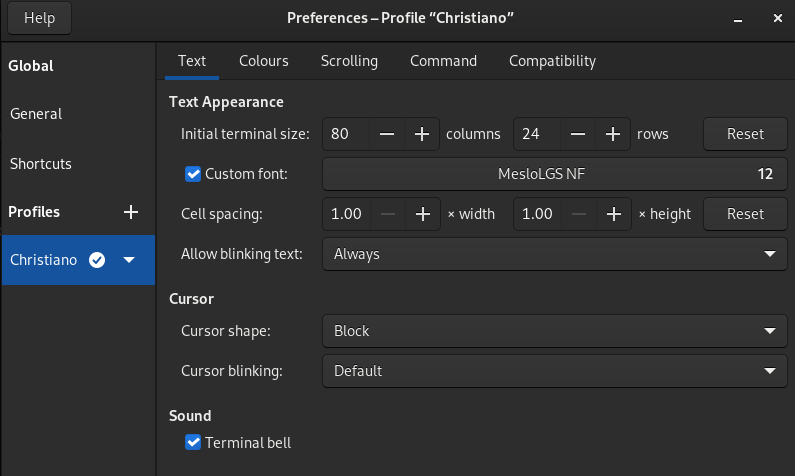
  4. Configure the Terminal to load the MesloLGS font:

Terminal

Christiano Anderson Supports Webmention
Text

Learning Scala

Python is my main programming language at work, it’s the lingua franca for data engineer, together with SQL. I have always been very curious to learn a functional programming language and Scala was a natural choice.

As data engineer, Python, Scala and Java are the most common programming languages, these three technologies dominate the main tools, components and frameworks used by data professionals, for example:

  • Hadoop (Java)
  • Pandas (Python)
  • Airflow (Python)
  • Kafka (Scala and Java)
  • Spark (Scala)
  • Pulsar (Java)

(…) It’s a big list, if you are still not convinced, take a look into Apache Projects Directory for Big Data.

Christiano Anderson Supports Webmention
Text

New Blog

I’m starting this new space to write articles on data engineering and also on other different topics like privacy, productivity tools and personal growth.

Why a new blog?

Before my own blog platform, I wrote a few posts on the Medium platform, like this one: Data Engineer and Infrastructure as a code. I am very interested in sharing knowledge, freely, without paywalls. This is one of the reasons why I decided to stick with my own platform instead of using Medium.