
Oh look, a blog post: https://www.bram.us/2026/09/14/introducing-rich-input-a-github-like-search-filter-text-input-to-embed-on-your-site/
 Subscribe
Public posts from @bramus@front-end.social
- Generator
- Mastodon v4.7.4
- Public lists
-
 btconf 2026 speakers
- Fetched
Yesterday evening I nerd sniped myself (again) into building a new component: `<rich-input>`
A rich input field that acts like a regular `<input type="text">`, enhanced with contextual keyword-based autocompletion (`keyword:value`) and in-input highlighting powered by `<datalist>`, the OpaqueRange API, and the CSS Custom Highlight API.
Current Status: “You are not wrong at all — it is completely useless.”
Screenshots were taken using the iPhone Device Simulator and the MobileMiniBrowser application with https://viewport-resize-behavior.netlify.app/ loaded.
These changes are not part of Safari 27 (explaing why a local WebKit build + MobileMiniBrowser was used), but my guess is that this lands in Safari 27.1.
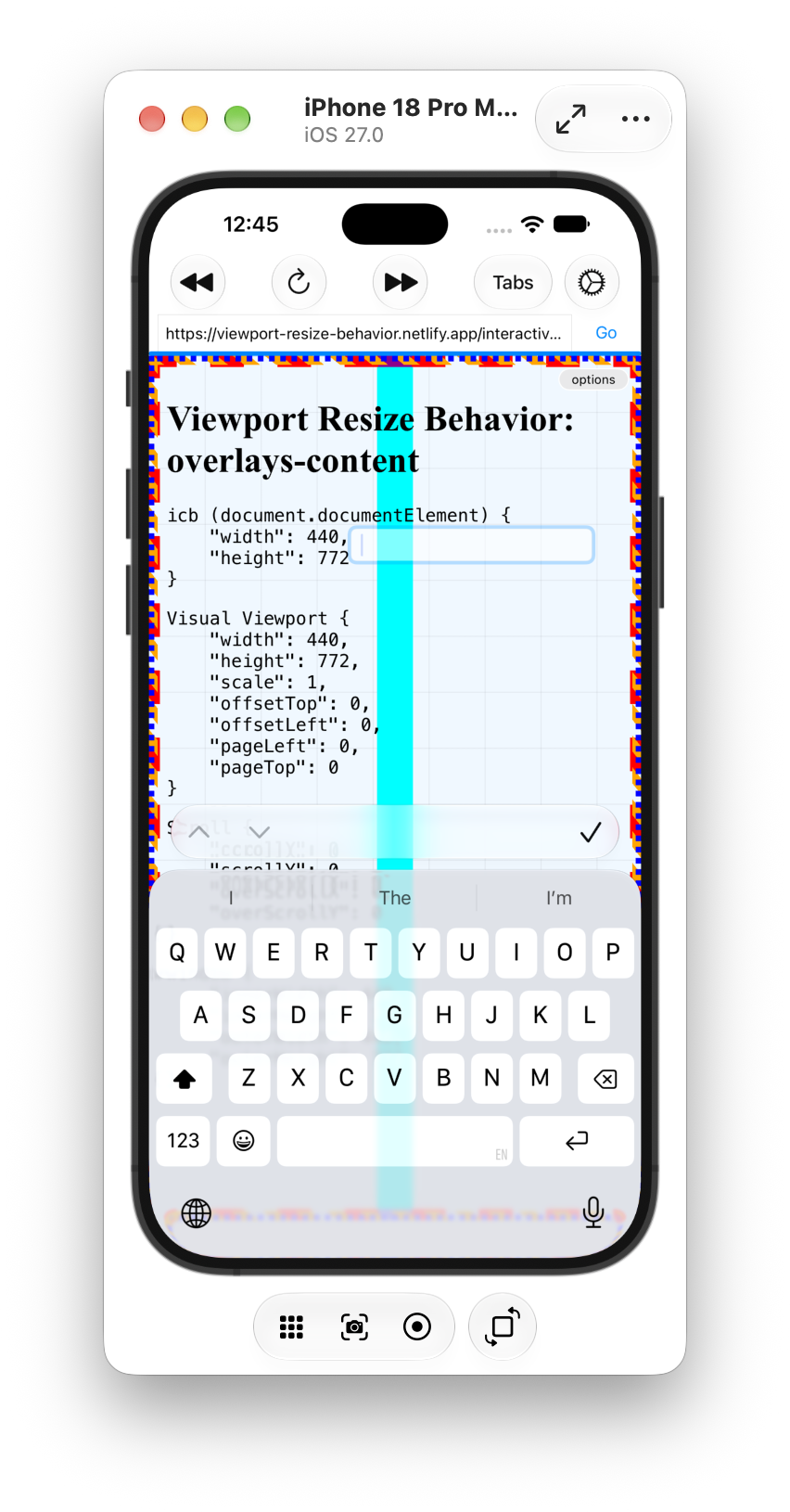
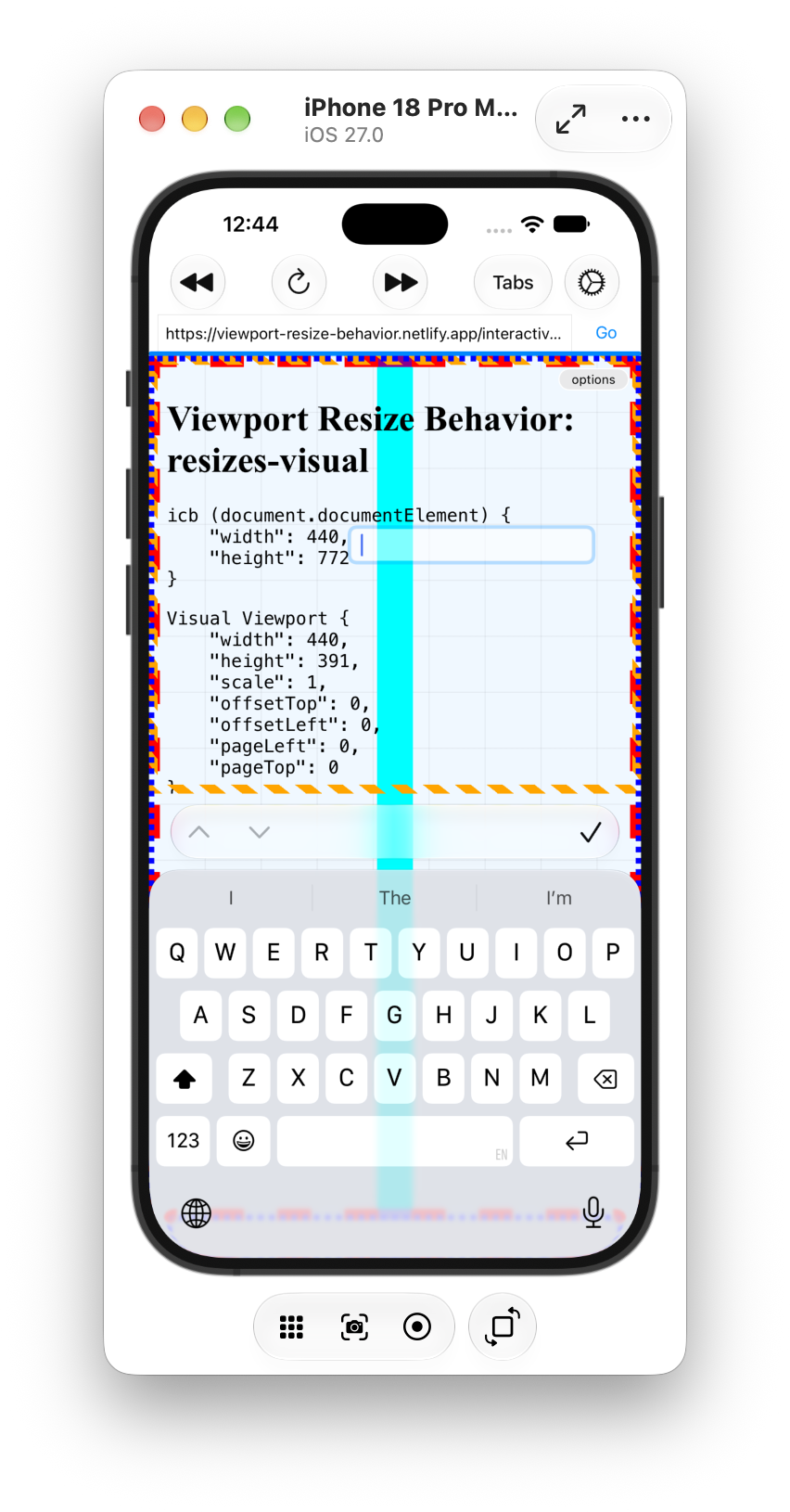
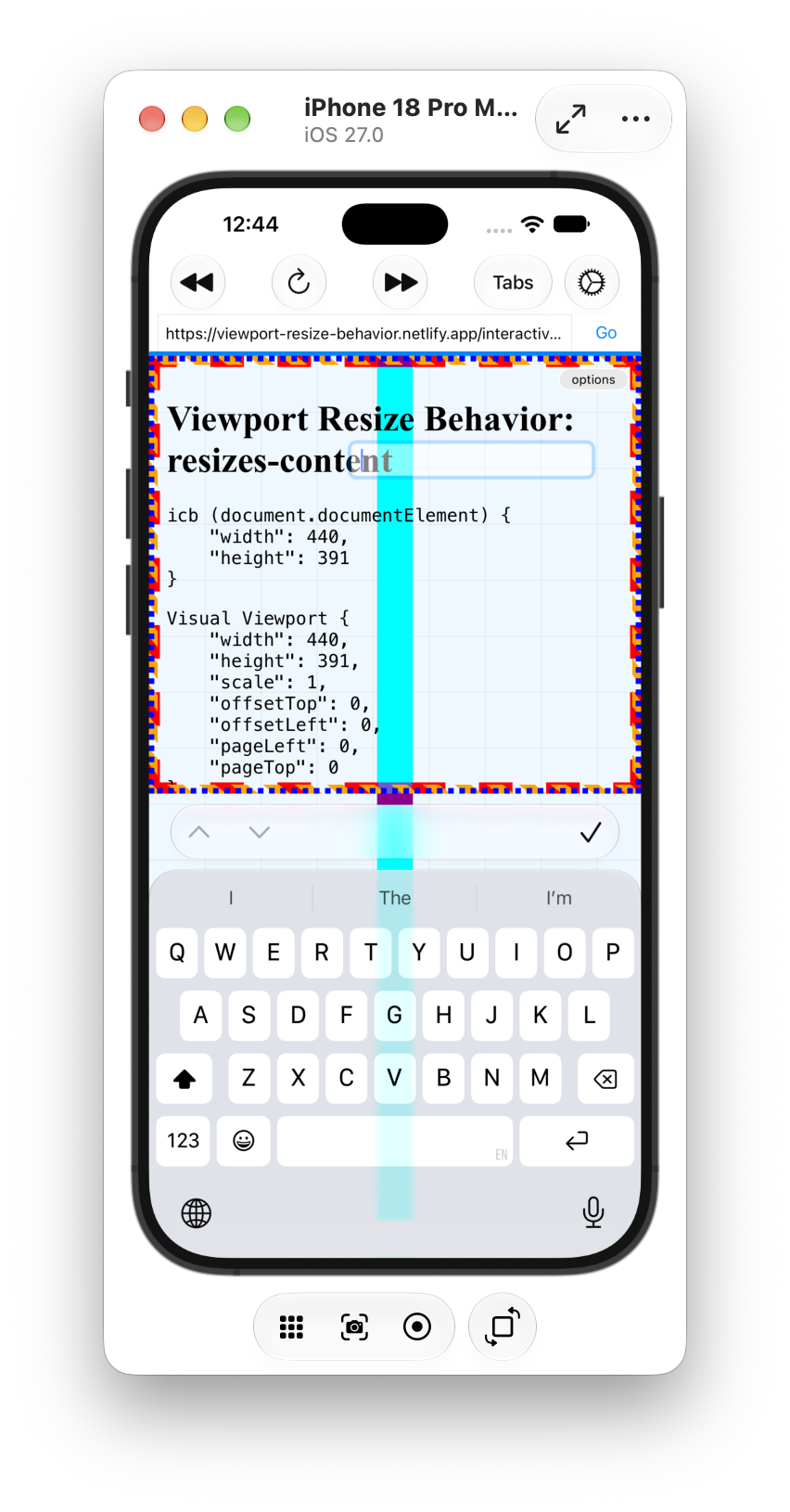
🤩 Safari is about to support `interactive-widget` in the viewport meta tag
https://github.com/WebKit/standards-positions/issues/65#issuecomment-5346189958
This allows you to control what should happen to the viewport when the virtual keyboard gets shown.
https://developer.chrome.com/blog/viewport-resize-behavior#opting_in_to_a_different_behavior (from 2022!) has the details.
(No word on the Virtual Keyboard API though)
RE: https://mastodon.social/@firefoxwebdevs/117246953483030890
Maybe one nuance to make here is that custom properties **ALWAYS** compute before they inherit.
With `@property` you control _what_ it computes to, not _when_.
If nothing is specified, you inherit the raw token stream, otherwise you get a parsed value.
(And if that parsing fails, you get https://brm.us/iacvt)
@codepen (If I have been procrastinating, you ask? You betcha I did!)
TIL that @codepen supports Mermaid Diagrams … and also that there is no custom element to easily include these in your markup … so I built one (assisted by Antigravity).
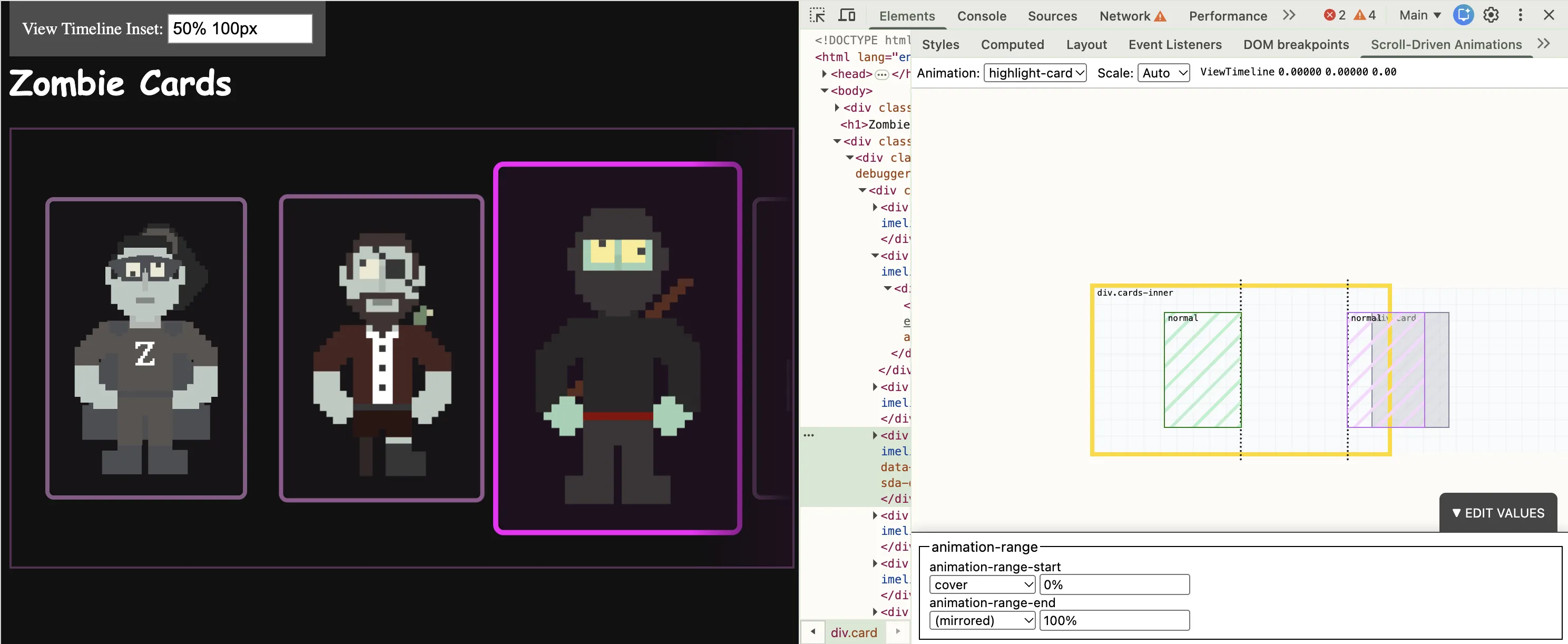
Productive evening. Added 1 new features + fixed 4 bugs for my Scroll-Driven Animations DevTools extension (http://brm.us/sda-debugger)
- Scrollable Minimap
- Play nice with Pseudo Elements
- Support more units in the ranges
- Support min(), max(), … in the ranges
- Take `view-timeline-inset` into account (+ visualize)
Release imminent.
Here’s a more high-fidelity demo.
Back in June I shared a demo of a grid that smoothly animates on resize without JS or View Transitions.
I finally sat down to write up how it works: CSS Anchor Positioning + scoped anchors + regular CSS transitions.
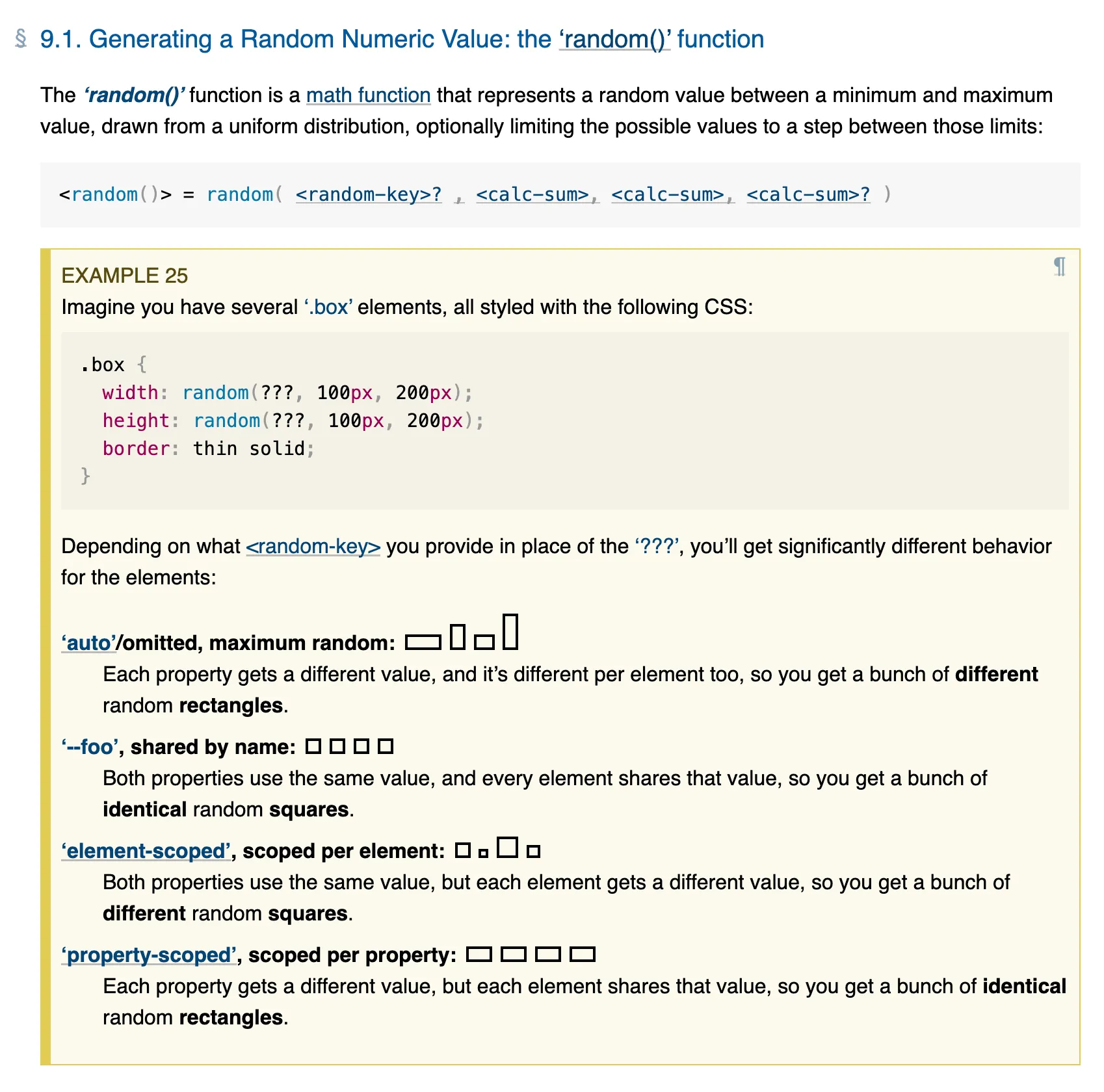
Also, if you read about `random()` before, go re-read things because the keywords changed after I brought them up for re-discussion at the WG (w3c/csswg-drafts#13132)
Awaiting an MDN update, the correct keywords and descriptions can be found in the spec: https://drafts.csswg.org/css-values-5/#random
The 3 LGTMs are in ... CSS random() officially coming to Chrome 155 (due early October)! 🎉
https://groups.google.com/a/chromium.org/g/blink-dev/c/ERWNExcOwcg/m/f3PCkiGoDwAJ
Way back in 2005, I first used PageFlip as a Flash component to display pages of images on a website. Ever since, recreating a modern version has been on my backlog to investigate.
With the arrival of HTML-in-Canvas (experimental), we can finally bring it back — this time displaying real HTML.
In CSS you can feature detect support for selectors, properties + values, and at-rules using `@supports`.
But how do you feature detect a change to an underlying implementation, or two existing properties suddenly working together?
Enter `named-feature()` for use with `@supports`. It’s a function designed to expose these specific capabilities without relying on hacky workarounds.
Help me out: I’m looking for some examples of full-page skeleton screens and loading states that are out there.
Care to share your favorite examples with me?
(There are a lot of examples that have skeleton screens on a component level, but I’m having trouble finding proper full-page ones)
To target multiple classes with the same prefix, you'd typically have to resort to brittle attribute selectors. To make things easier, CSS is getting a new selector: the “Class Prefix Selector” (`.foo-*`).
Check https://brm.us/class-prefix-selector to get the details.
(Browser Support: None 😛 — just resolved!)
I was looking up some stuff and noticed that `:has()` is now used on more than 50% of all page loads (in Chrome) 🥳
https://chromestatus.com/metrics/webfeature/timeline/popularity/39
Go #CSS!
New blog post: The Case for Tri-State Dark Mode Toggles
Also, building this demo revealed that I suck at raw scrolling with a trackpad.
At one point I had to cover half of my trackpad with a piece of paper to physically rail my fingers as things kept going diagonally 😅
Thankfully the browser does *A LOT* of corrections by default to keep you on track 😃
When you scroll a 2D scroller on the web, the browser may ignore some minor scroll deltas in the non-main scrolling axis when the user’s intent was to scroll only one axis.
While helpful most of the time, this “railing” sometimes gets in the way … and with `scroll-axis-lock: none`, you can soon remove it 😊
Now, I am not against two-state controls.
I believe that _if_ you were to go for a two-state control, you should write *the actual values* to storage (different to what Lea does) *and* you should also offer a reset option.
See this post from 2020: https://www.bram.us/2020/04/26/the-quest-for-the-perfect-dark-mode-using-vanilla-javascript/
However, at that point you might as well just make the control a tri-state one. As I said back then:
> What ideally could be done is to use radio buttons […] or a dropdown to change between auto, light, and dark.
Thoughts?
Imagine this:
- OS is set to auto-switch light/dark based on time of day
- Visit during the day, see light
- Using the control, try out dark but don't like it and revert to light
- Visit again at night
Your site is now dark, although the user last chose light. To them (and me), this is a bug.
RE: https://front-end.social/@leaverou/117048761441552914
I … disagree.
In short, I don’t believe that forcing a site into your current mode gets to be dependent on the time of the day.
The two-state approach in the post has this problem when the OS is set to auto-change from light to dark based on the time of the day.
🧵👇
QQ about Dark Mode Toggles on websites
How many options do you show to users?
- Three values: System, Light, Dark
- Two values: Light, Dark (with one of them mapping to “System” behind the scenes).
Why the one or the other?
(I have an opinion about it, but I’m looking for external input)
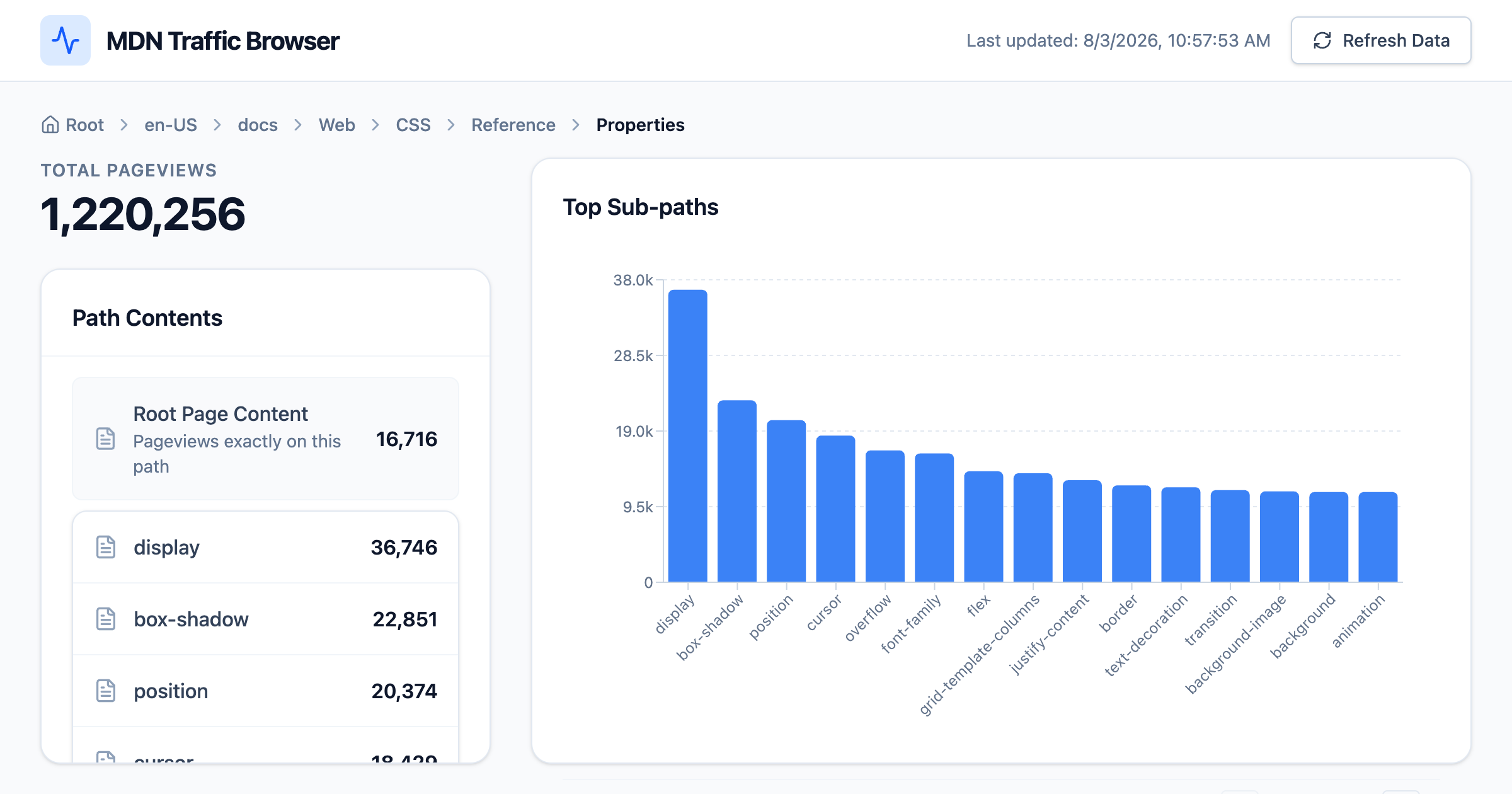
TIL: @mdn exposes up-to-date page view data through https://popularities.mdn.mozilla.net/current.csv
Here’s a visualizer I had AI Studio throw together for me: https://ready-unit-fowl.codepen.app
👀 https://github.com/WebKit/WebKit/pull/70569
“Implement at-rule function for use with @supports”
See https://brm.us/at-rule for the details on this one.
We already did an initial pitch of this at @cssday back in June, and a quick read of the room confirmed we were on to something.
More feedback can’t hurt of course, so please reach out (or leave a comment at the CSSWG issue) if you have _any_ feedback 😊
In https://brm.us/styling-the-navigation I jotted down a quick intro to the concepts that we’ll be introducing:
1. Define Routes with @route
2. Query the navigation with @navigation
3. Select the navigation trigger with :nav-source
4. Advanced link selection with :link-to()
(And url-pattern() woven throughout)