Sign up

Bramus

Not verified No WebSub updates No webmention support Valid

Public posts from @bramus@front-end.social

Generator
Mastodon v4.7.4
Public lists
btconf 2026 speakers
Fetched

Bramus Valid
Text

And yes, I totally asked Gemini to implement certain things, based on open source reimplementations, public documentation and community notes, or by simply telling Gemini how I recall the game from playing it a lot back in the day.

Still a lot of things to do (cops!) but it’s already very much playable.
Bramus Valid
Text

Note that because this is a reimplementation (it’s not a DOSBox wrapper / emulator / decompiled version / …) there are differences compared to the original 1997 game in certain physics behaviors, animations, etc.

The mission engine is accurate though, as that is publicly documented 😊

Bramus Valid
Text

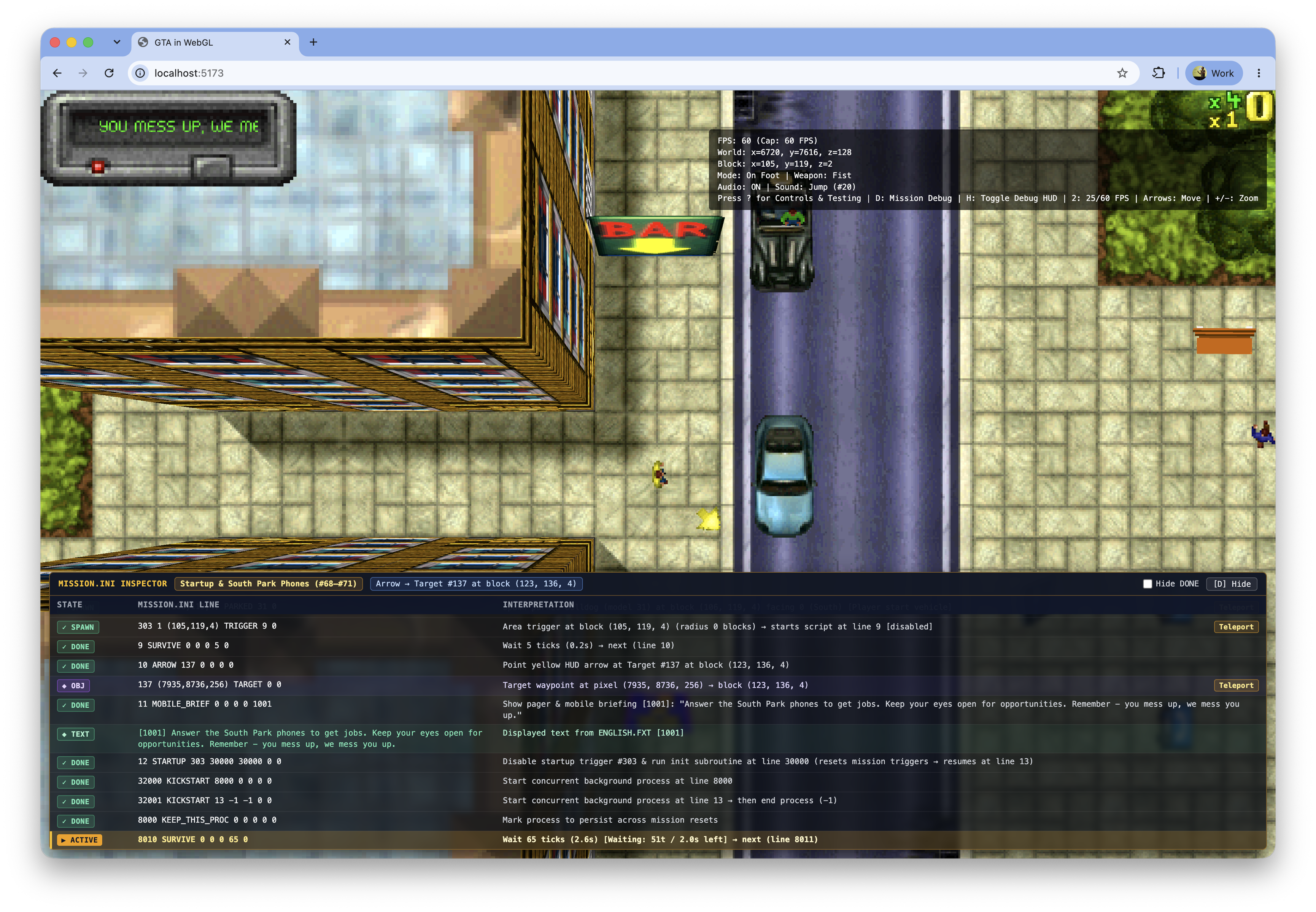
Sideproject I’ve been spending my tokens on: https://gtajs.wtf/

It’s a reimplementation of the 1997 Grand Theft Auto engine in JavaScript and WebGL.

The project is not entirely finished, but since I am leaving on vacation tomorrow, I might as well just publish what I have — done is better than perfect 😀

Bramus Valid
Text

👀 Sneak peek …#GTA #GTA1 #GTAClassic #WebGL

👀 Sneak peek …

#GTA #GTA1 #GTAClassic #WebGL

Bramus Valid
Text

Building CSS Scroll-Triggered Animations (or thinking of building some) with `animation-trigger` and `timeline-trigger`?

Here’s the debugging tool you are looking for: https://brm.us/sta-debugger

Bramus Valid
Text

Being a big fan of the CSS Typed OM, I’ve wanted a proper polyfill for it for years.

Just before my summer vacation back in July, with the help of Gemini/Antigravity, I finally built one: css-typed-om.

→ https://brm.us/css-typed-om-polyfill

Bramus Valid
Text

Following my Scroll-Driven Animations Debugger Extension for Chrome DevTools, I’m working on a similar extension to help you debug Scroll-Triggered Animations.

Sneak peek: https://youtu.be/C5hn16x31I8

WDYT? Any features you want to see?

Bramus Valid
Text

RE: https://front-end.social/@bramus/113107794001925698

Just before the weekend I did some long overdue updates to this project.

The caniuse and bcd datasets can now be updated by the app itself. The app also warns when the datasets are quite old.

Now also shows baseline status indicators.

https://github.com/bramus/caniuse-cli/releases/tag/v2.0.0

Bramus Valid
Text

Bootstrap 6 alpha 1 got announced today: https://blog.getbootstrap.com/2026/10/08/bootstrap-6-alpha/

Great to see how many modern CSS features the project is now leaning into: @property, @layer, @starting-style, oklch(), color-mix(), light-dark(), interpolate-size, :has(), …

(Yes, Bootstrap still is a thing)

Bramus Valid
Text

RE: https://fed.brid.gy/r/https://bsky.app/profile/did:plc:cs3zn3kikj5kwzljlvyr55sg/post/3mxfmi3rlvg2z

👀 Ooh, support for `interpolate-size: allow-keywords` and `calc-size()` in Safari Technology Preview 254.

These two allow you to do things like animating elements to `height: auto`.

Check https://developer.chrome.com/docs/css-ui/animate-to-height-auto to get the details.

Bramus Valid
Text

Today I built `<calc-input>`. It’s a custom input element that accepts mathematical formulas — such as 2 + 3 or (2 + 3) * 4 — and automatically toggles between showing the formula on focus and the calculated result on blur.

→ https://brm.us/calc-input

Bramus Valid
Text

If this looks familiar: I first started working on this in 2024 but never got round to finishing the project.

https://front-end.social/@bramus/113668504142777945

(I also mentioned it a few times at conferences)

Thanks to Gemini, I finally managed to implement the remaining effects and got to releasing the 1.0.0 version 😊

Bramus Valid
Text

Remember Internet Explorer’s “Page Transitions”?

Well, they’re back, thanks to the View Transition API!

→ Blog post: https://brm.us/page-transitions
→ Demo site: https://page-transitions.style/

The project leverages IE’s meta tags so browser support is not limited to Modern Browsers™ but also includes IE 5.5–8.0 😆

Bramus Valid
Text

After 7.5 months of tweaking, reviewing, and rewriting, the docs for Scroll-Triggered Animations have landed on @mdn (MDN)!

→ https://developer.mozilla.org/en-US/docs/Web/CSS/Guides/Animation_triggers/Using_scroll-triggered_animations

Congrats and thanks to @chrisdavidmills and @estelle for their hard work and sweating the details on this!

Bramus Valid
Text

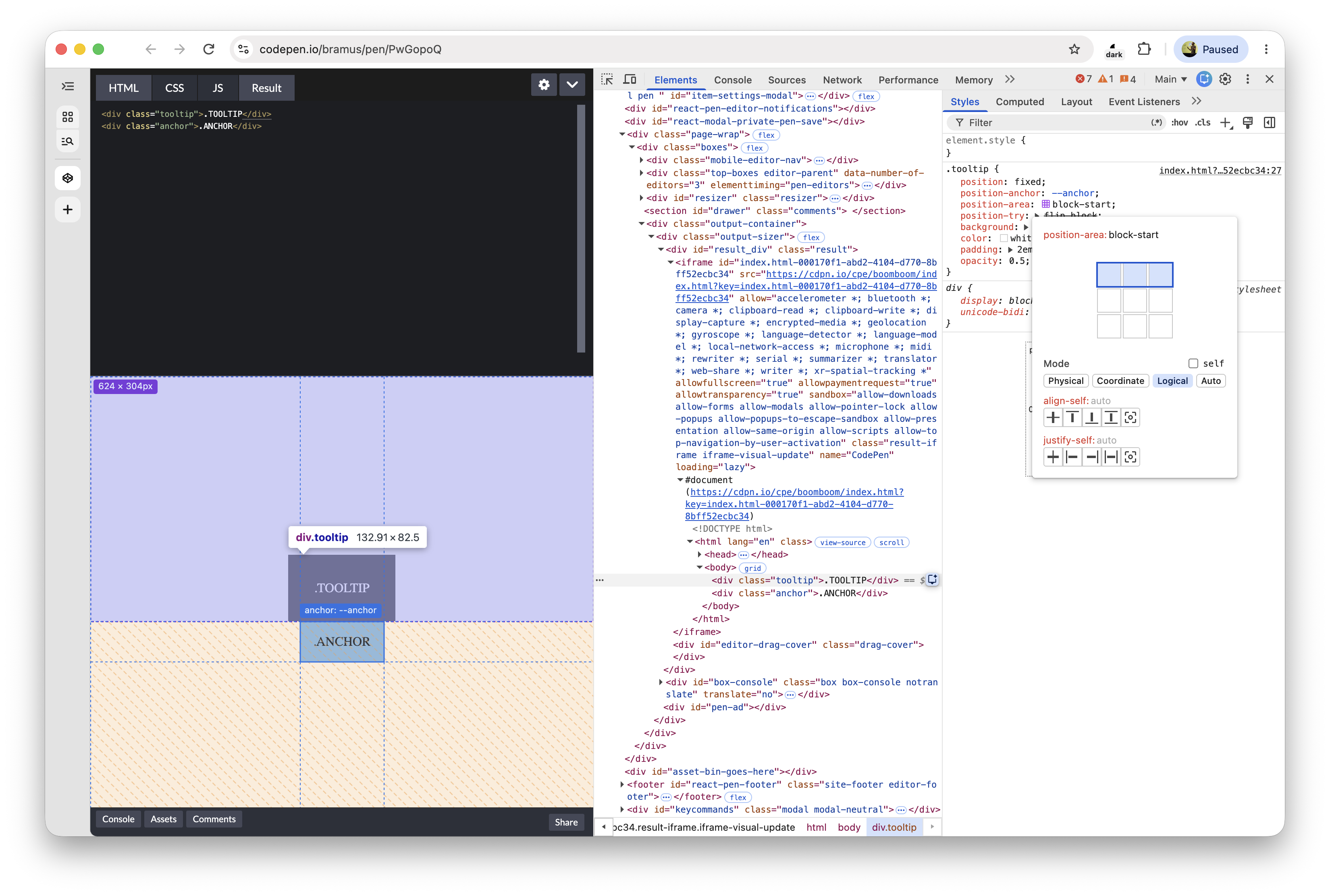
Well well, what do we have here?Try it Chrome Canary.#CSS #AnchorPositioning #DevTools

Well well, what do we have here?

Try it Chrome Canary.

#CSS #AnchorPositioning #DevTools

Bramus Valid
Text

RE: https://mastodon.social/@firefoxwebdevs/117354510309471164

That `overscroll-behavior: chain` is a nice one to complete the set of values for `overscroll-behavior`.

Check it out in https://codepen.io/editor/bramus/pen/01a0c81c-666b-7b74-b099-ffb6a76de6d6 to see how it compares to other values.

Supported in Blink/Chromium and Gecko/Firefox.

Bramus Valid
Text

With Scroll-Driven Animations announced for Firefox, the time to ramp up your SDA skills is **NOW**

Go check https://scroll-driven-animations.style for a free 10-part video course created by yours truly, as well as a bunch of demos and tools.

And if you are using Chrome: Download the DevTools extension I built to help you debug and understand how these work.

Bramus Valid
Text

Yes, you too get an extension, Firefox. 🦊❤️(Review Pending)

Yes, you too get an extension, Firefox. 🦊❤️

(Review Pending)

Bramus Valid
Text

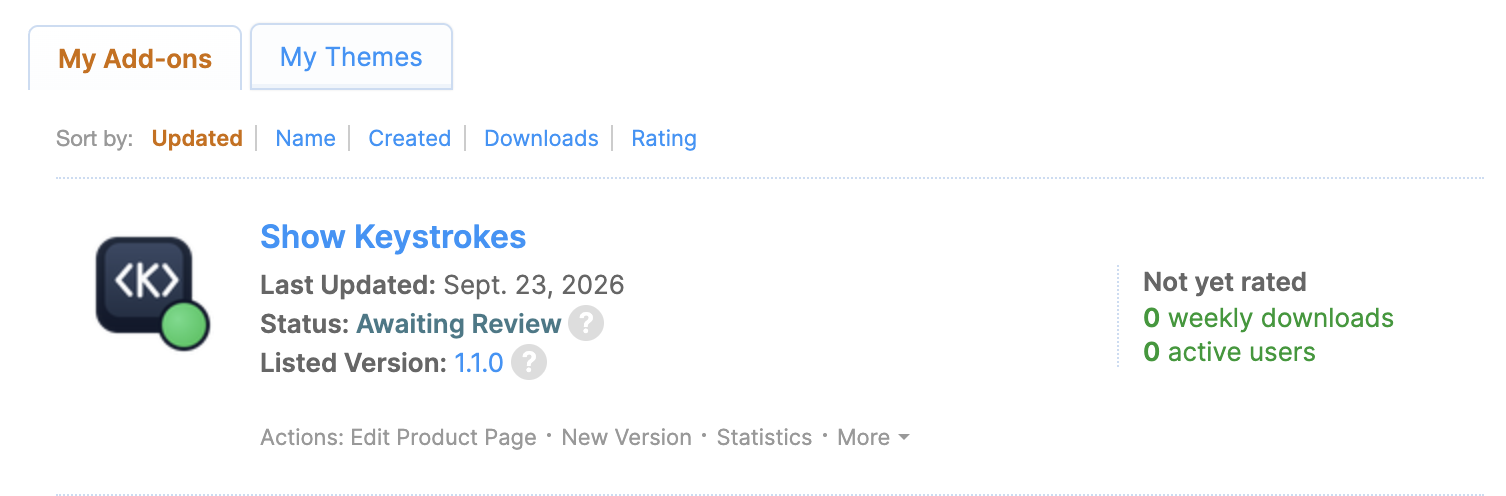
Look, a blog post: https://brm.us/show-keystrokes

Bramus Valid
Text

You can easily position the component in the top right corner of the viewport (default), next to the cursor, or just inline.

Stays on top thanks to the Popover API. Repositions itself thanks to CSS Anchor Positioning.

Also comes as a bookmarklet and extension (pending review), to run on any site.

Bramus Valid
Text

Another week, another package: https://show-keystrokes.netlify.app/

The native app I typically use to display keystrokes on the screen is disallowed by a corp policy.

So I wrote a component to fill that gap. Embed it on your site and you’re good to go.

Bramus Valid
Text

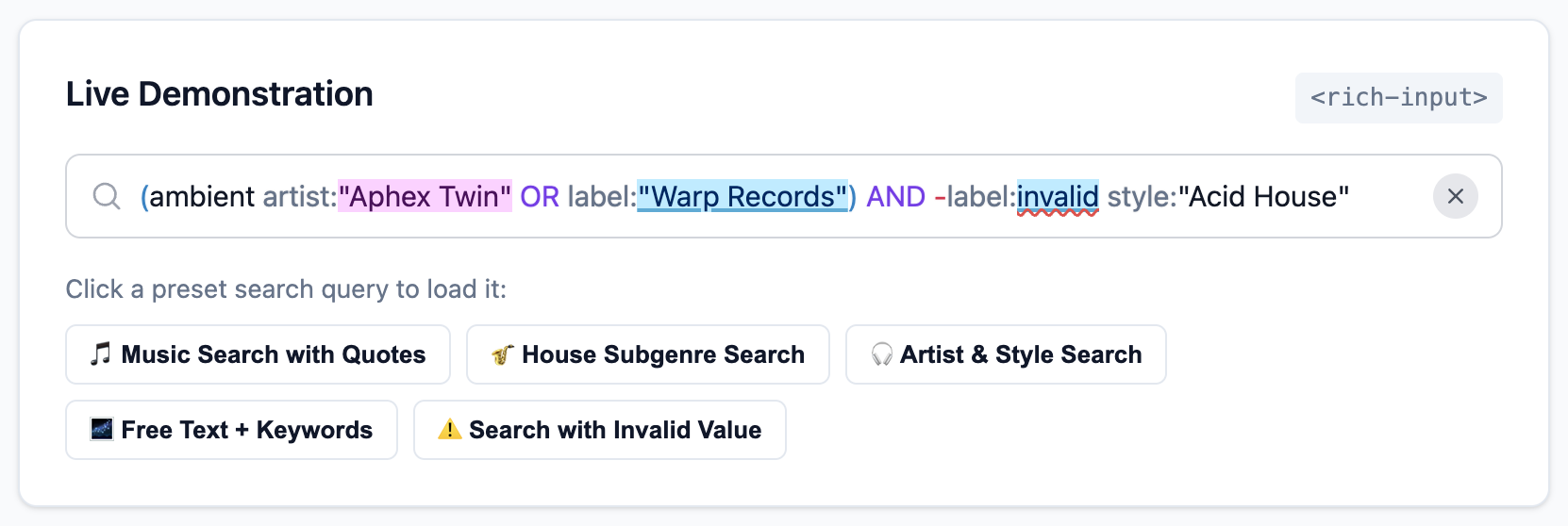
New in version 1.4.0: Support for (configurable) Operators, Combinators, and Delimiters.→ https://brm.us/rich-input-d...

New in version 1.4.0: Support for (configurable) Operators, Combinators, and Delimiters.

→ https://brm.us/rich-input-demo

(Hit the “📦 Grouped Query with Delimiters” button in the demo to see the new feature in action)

Bramus Valid
Text

New on the blog: Ship cleaner packages (without the `./dist` or `./src` folder) by publishing a subfolder to NPM

→ https://brm.us/npm-publish-subfolder

Bramus Valid
Text

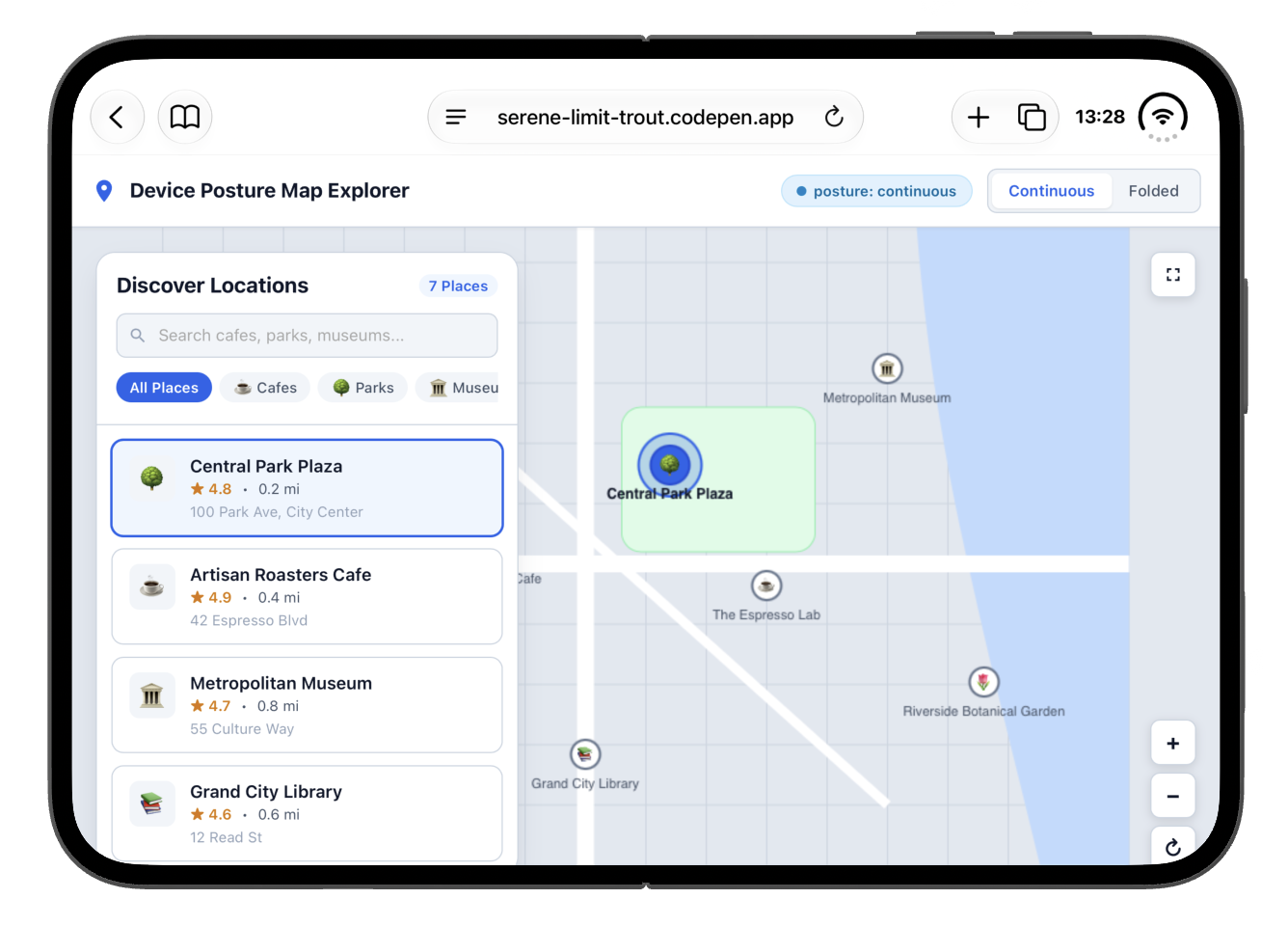
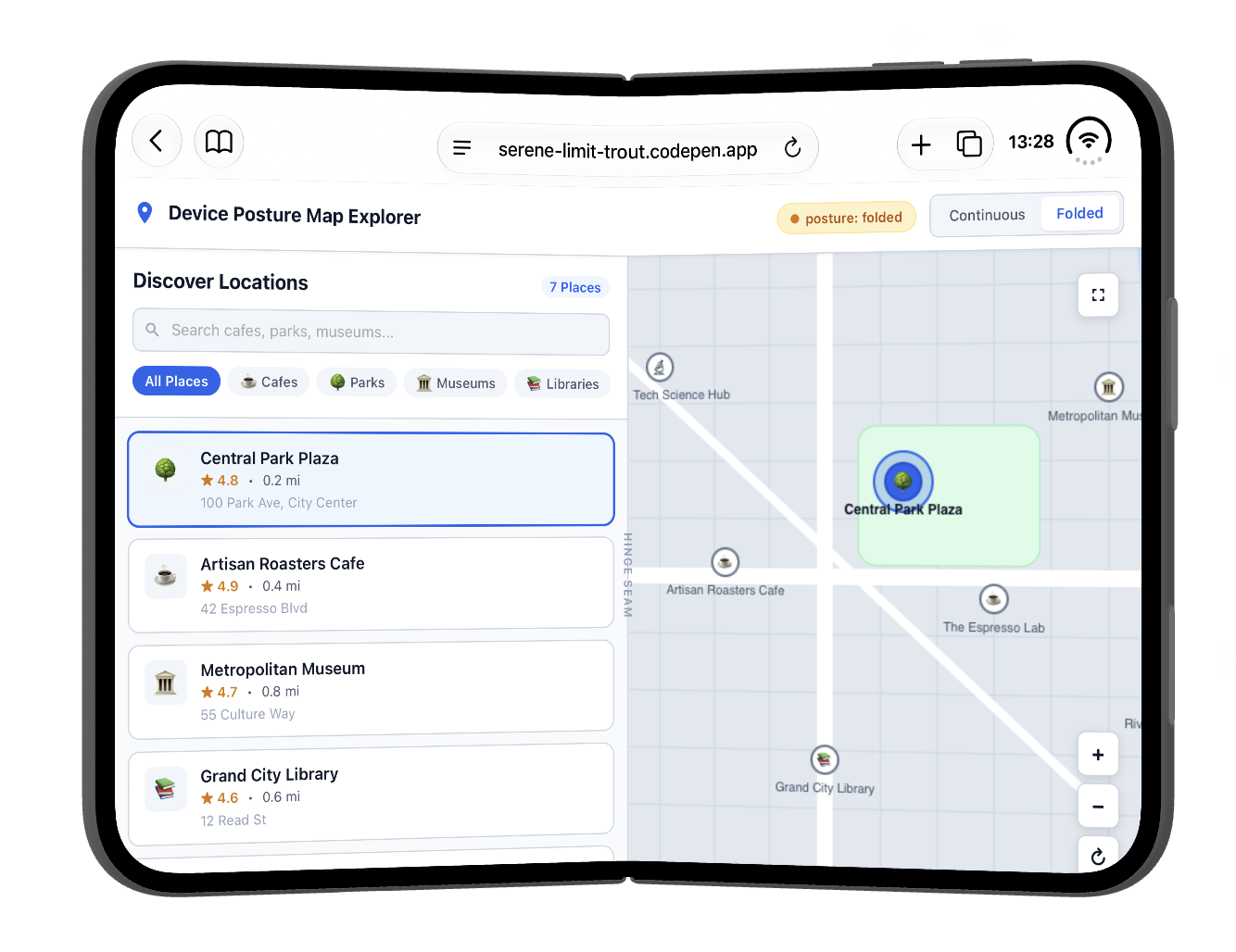
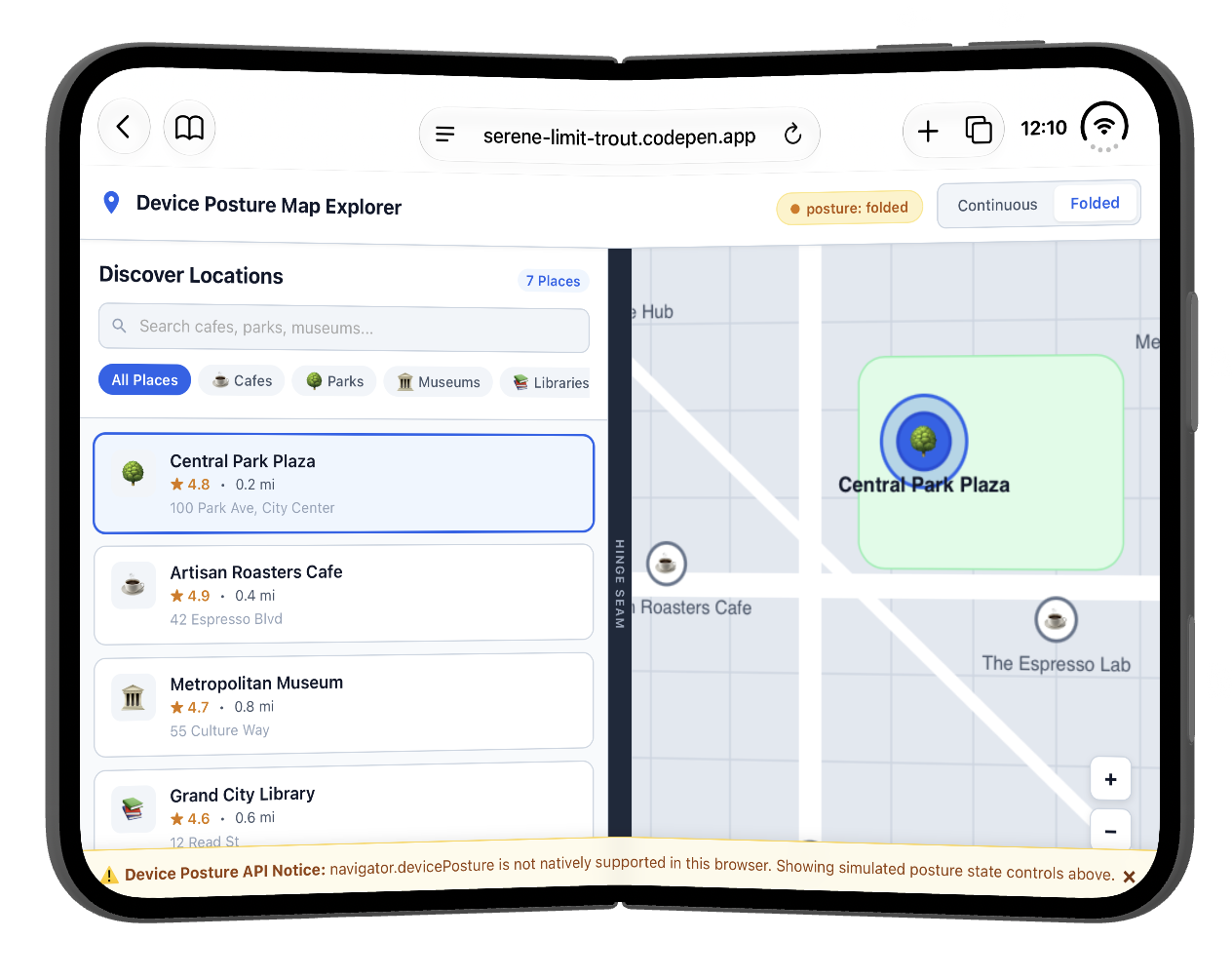
Device Posture API on the iPhone Duo: check! 🎉

Live demo: https://serene-limit-trout.codepen.app

(It’s behind a feature flag … and that is a bit hidden in the Simulator because the “Feature Flags” option is placed below the fold)

Bramus Valid
Text

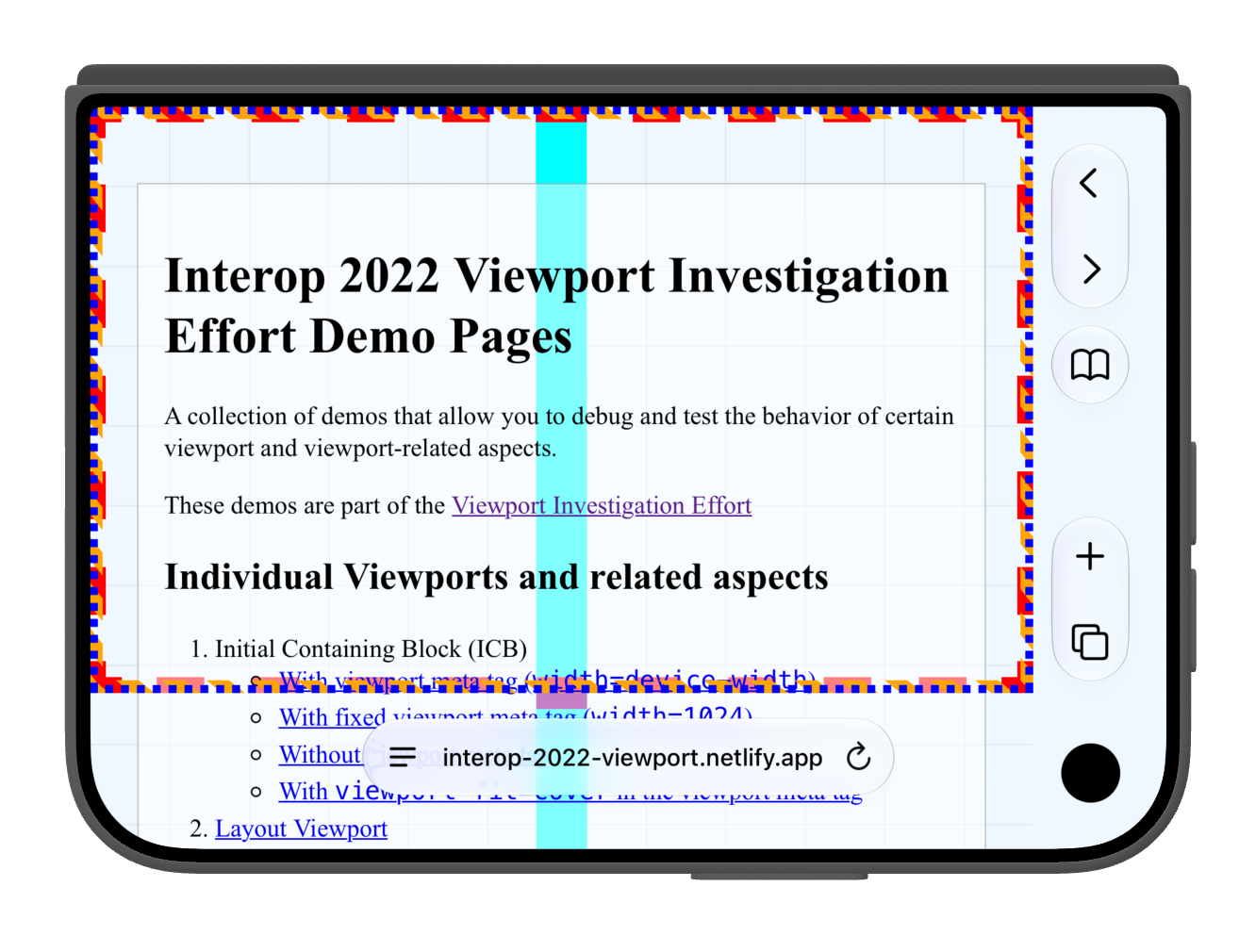
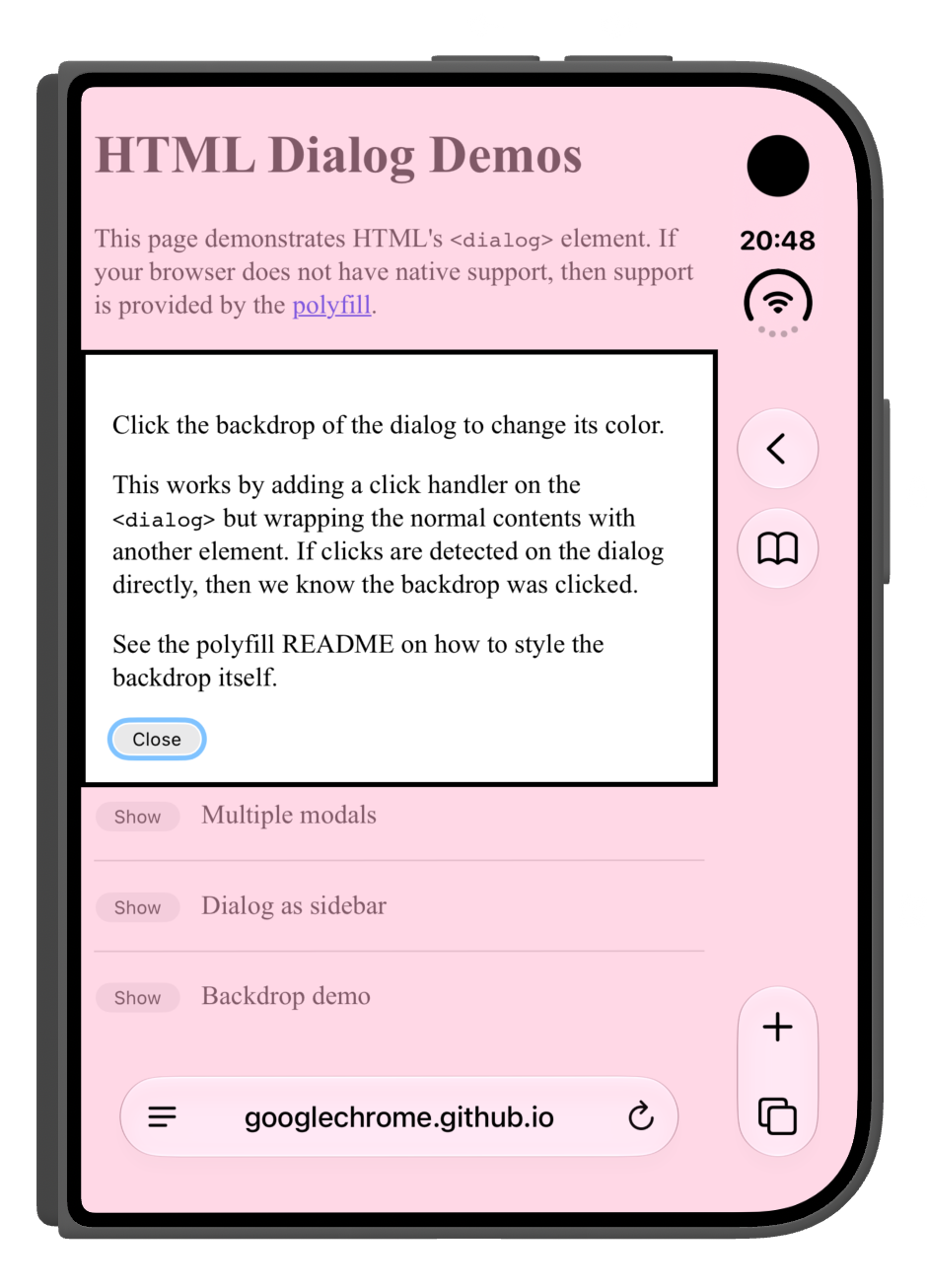
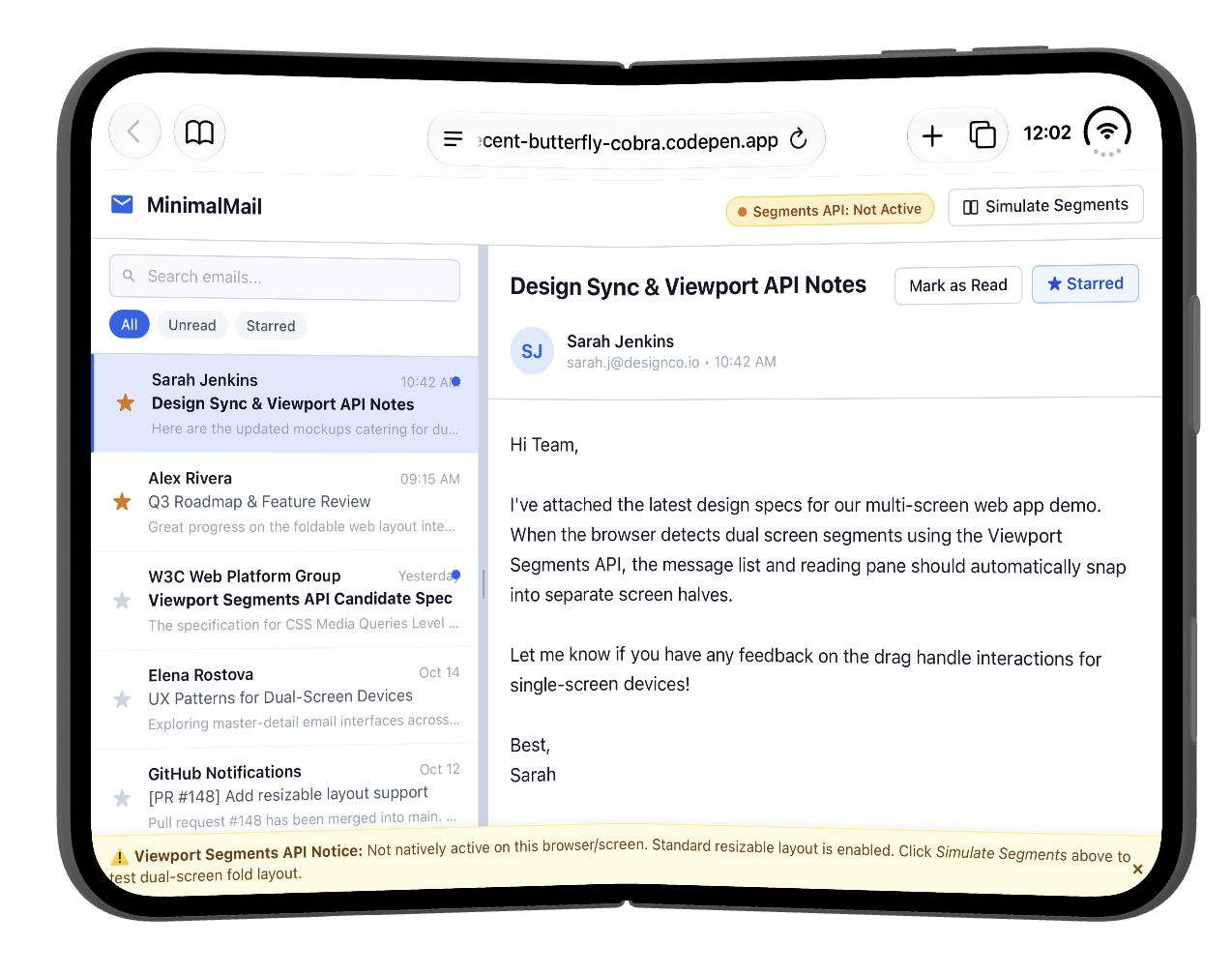
I am checking out viewports (and more) on the iPhone Duo and am documenting things over at Bluesky.

https://bsky.app/profile/bram.us/post/3mvvqnzqk3c2w

Some screenshots to get you started …

Bramus Valid
Text

You can try it right here: https://codepen.io/editor/bramus/pen/01a09116-9ed5-79c0-8b5b-0cc4c73f6807 (in Chrome Canary + Experimental Web Platform Features flag)

Currently in Chrome Canary the popover gets shown on the button and the hover styles match on the button when hovering the ⓘ … if you find that weird, that might inform your answer.

Bramus Valid
Text

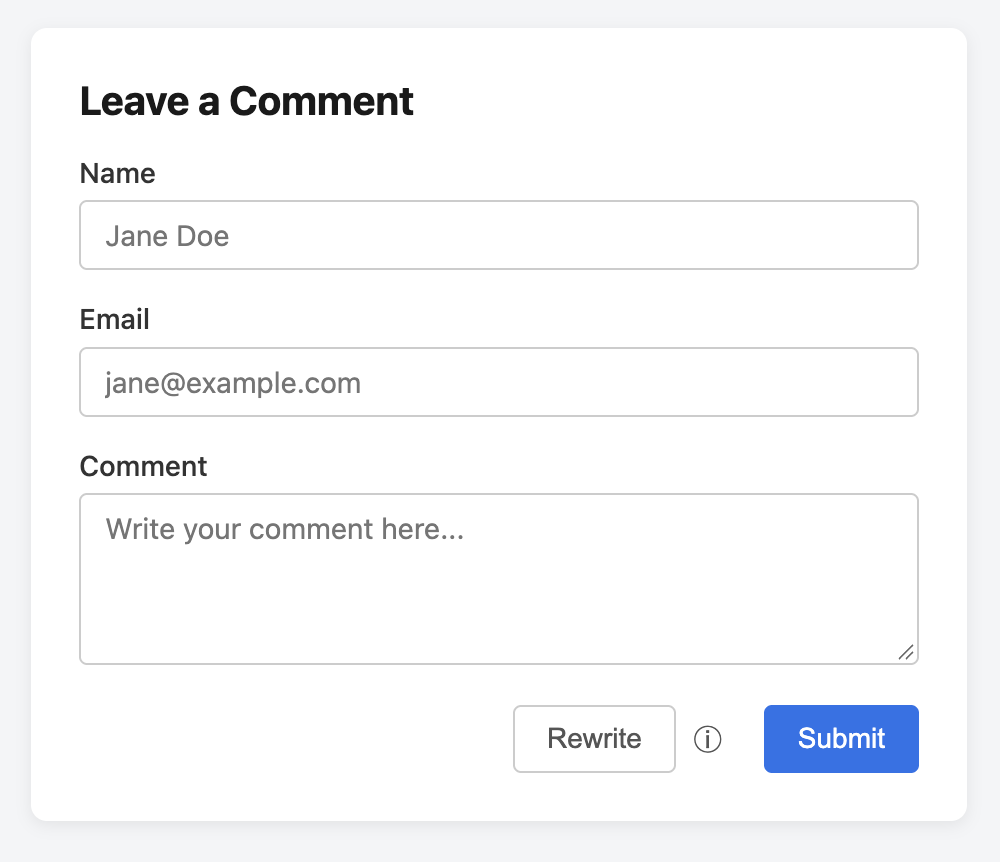
UI/UX QuestionSay you have this “Rewrite” button with a little ⓘ icon next to it. Clicking/hovering that ⓘ shows a po...

UI/UX Question

Say you have this “Rewrite” button with a little ⓘ icon next to it. Clicking/hovering that ⓘ shows a popover with extra info about the button.

Would you expect:

Q1: The popover to show above the button or the ⓘ?

Q2: The button to match `button:hover` while hovering the ⓘ?

(I have an opinion about it of course, but I’m interested to hear what you think)

Bramus Valid
Text

Always nice to do updates like this one 😊Yes, CSS `light-dark()` with `&lt;image&gt;` values is now available in all ...

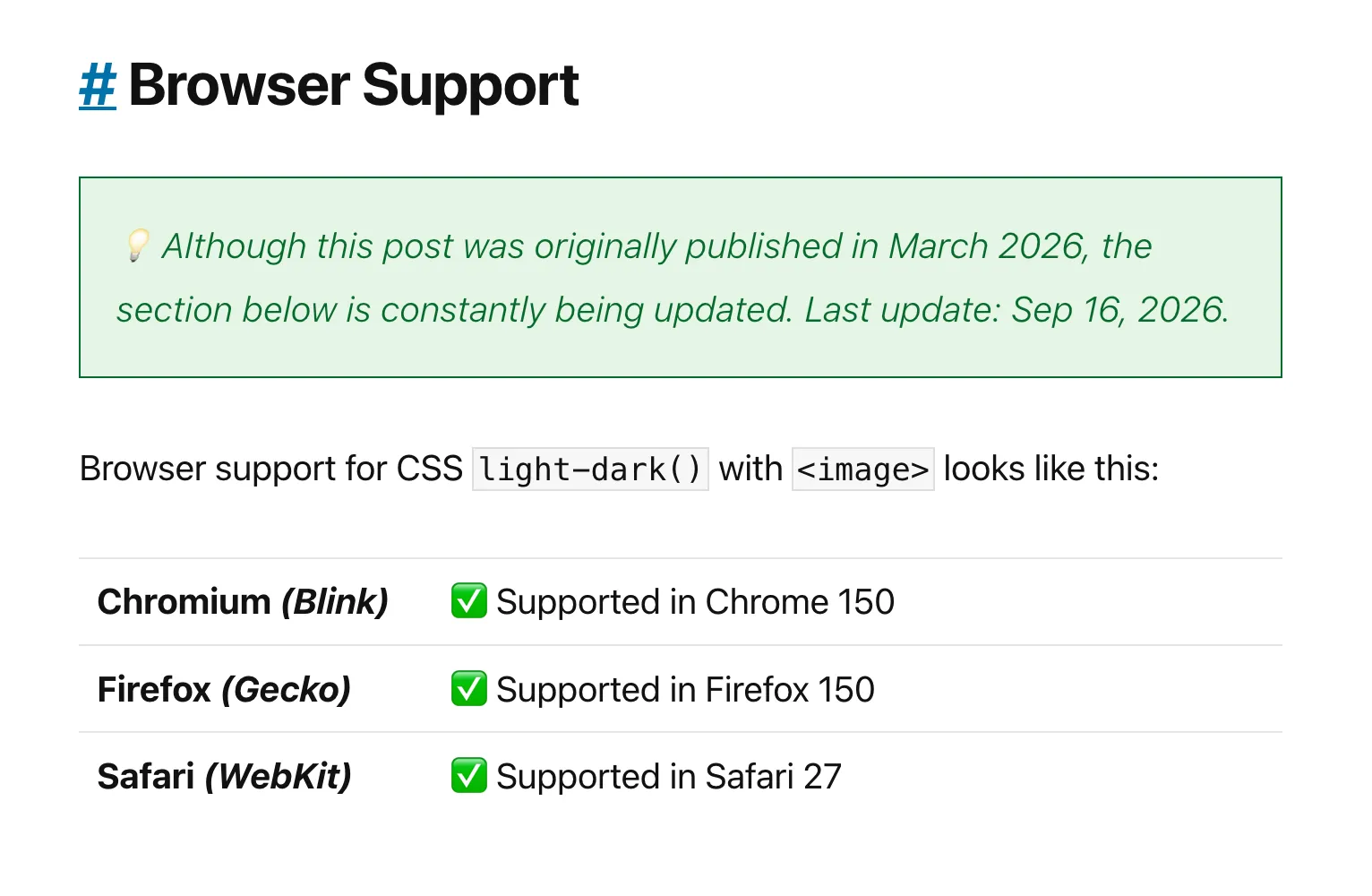
Always nice to do updates like this one 😊

Yes, CSS `light-dark()` with `<image>` values is now available in all major browser engines.

Check https://brm.us/light-dark-images to get the details.

Bramus Valid
Text

@matuzo If you have time, could you take a quick peek?

https://front-end.social/@bramus/117274916423885724

Bramus Valid
Text

#A11Y question

The A11Y aspects for this component were modeled after https://www.w3.org/WAI/ARIA/apg/patterns/combobox/examples/combobox-autocomplete-list/

AFAICT things are correctly set up: the `role=combobox` is there, the expanded state is dynamically communicated, the `aria-controls` are set pointing to a listbox, `aria-label` gets set when necessary, etc.

But: I am no A11Y expert … anyone here that can confirm I got things right? And if things are not right, could you point me in the right direction?